

The admin console
Everything a system administrator configures lives under Manage (#/manage), reachable from the
sidebar or with the m command in the command palette. Only system administrators see it.
This page is the map: every page in the console, what it is for, and where the deeper documentation is. Use it to find the right page, and to check that something you are looking for exists.
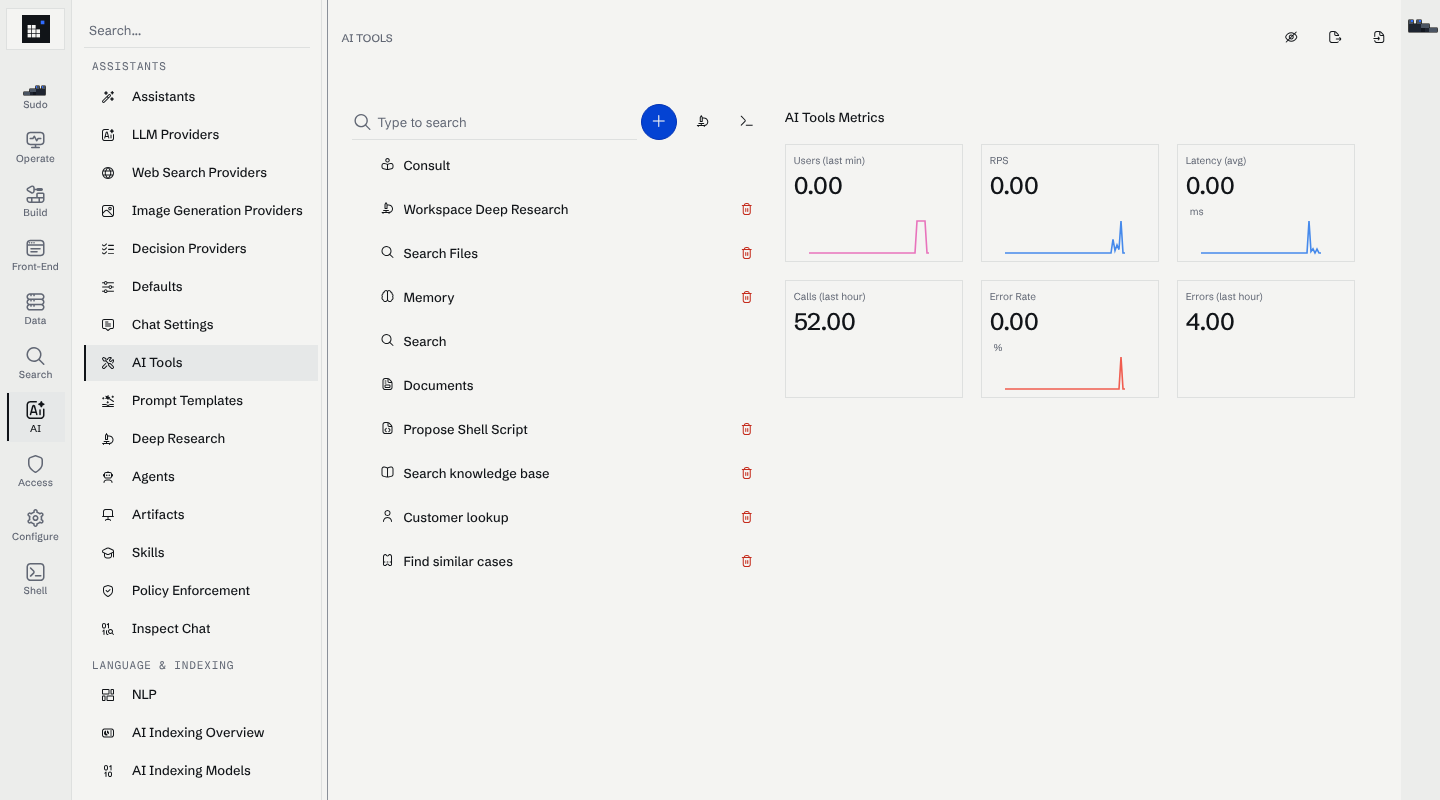
The console is organised into eight categories. The URL mirrors the category, so #/manage/ai/tools
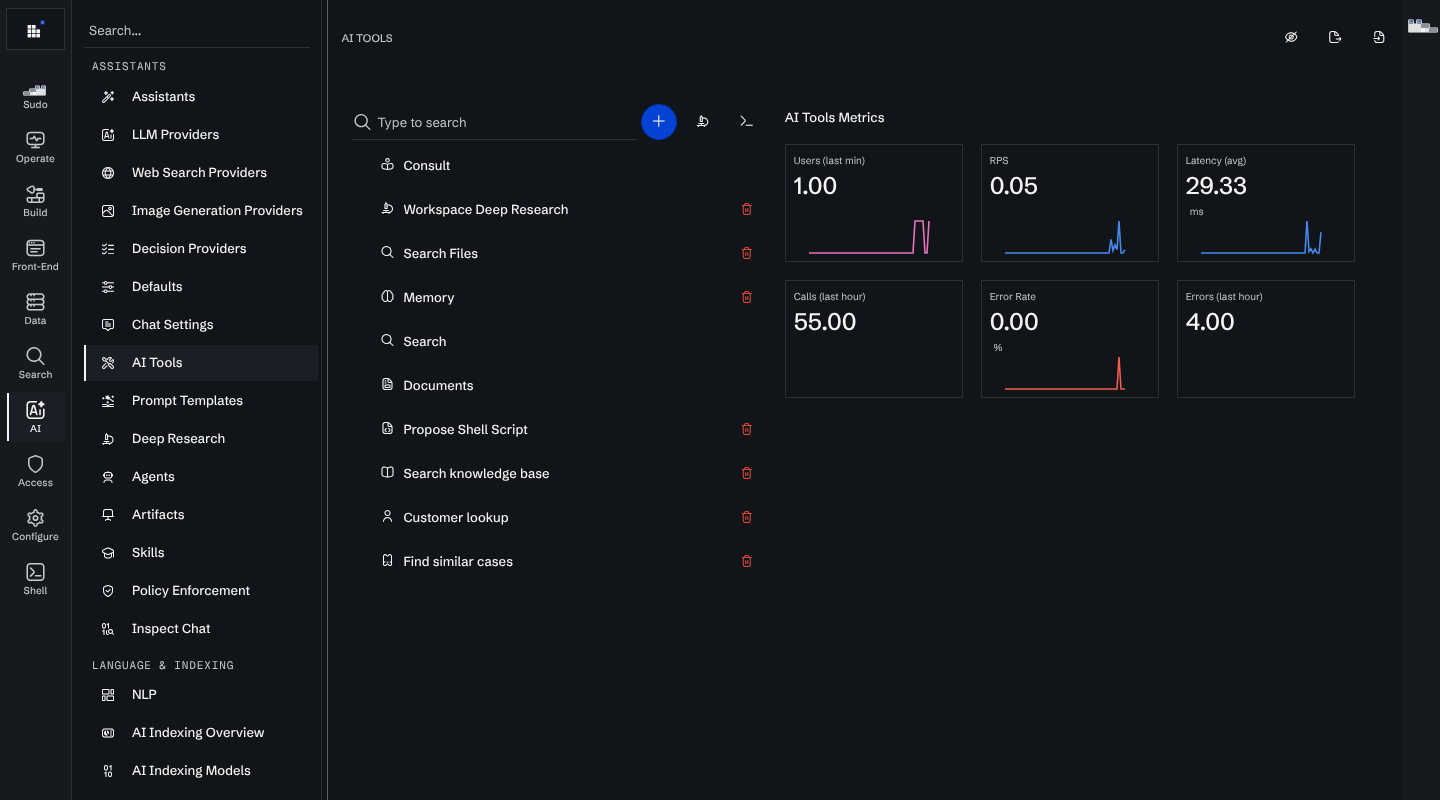
is AI / AI Tools. The screenshot shows that page: the category rail on the far left, the pages of the
selected category beside it, and the page itself.
Data
Schema
| Page | Route | What it is for |
|---|---|---|
| Nodes | #/manage/data/nodes |
Node types and their schemas. See schema design and the graph model. |
| Edges | #/manage/data/edges |
Edge types and virtual edges. |
| Schema | #/manage/data/schema |
Explore and export the whole workspace schema, as a graph, as C#, or as JSON. |
| Graph Explorer | #/manage/data/graph |
Walk the graph interactively in a full-page view: a starting node, its neighbours, and outwards from there. |
| Import Data | #/manage/data/import |
Load nodes and edges from CSV files without writing a connector. For anything repeatable, use a connector instead. |
| Stage | #/manage/data/stage |
A private area where raw files sit while you review them, before they are promoted into the workspace. Also what Sudo reads as /stage. |
| Tools | #/manage/data/tools |
Generate connector code from a CSV or JSON file, and produce synthetic copies of files or of workspace data for testing. |
Indexes
| Page | Route | What it is for |
|---|---|---|
| Indexes | #/manage/data/indexes |
The indexes that make a node type searchable and filterable. See search configuration and reindexing. |
| File Indexing | #/manage/data/file-indexing |
Which file types are processed, when, and with which AI steps. |
| Throttling | #/manage/data/throttling |
Cap the CPU background indexing may use. Also listed under Operate / Runtime. |
Search
| Page | Route | What it is for |
|---|---|---|
| Search | #/manage/search/settings |
Full-text and AI search behaviour and relevance. See relevance tuning. |
| Facets | #/manage/search/facets |
Property, related and inferred facets. See filters and facets. |
| Synonyms | #/manage/search/synonyms |
Synonyms, machine-learned synonyms, and forced replacements. |
Build
| Page | Route | What it is for |
|---|---|---|
| Build | #/manage/build |
One page for everything code-backed: endpoints, AI tools, agents, skills, prompt templates, code tasks, code indexes, entity post-processing and migrations. Each opens as its own tab, and the tree can show or hide built-ins and filter to items that fail to compile. |
AI
Assistants
| Page | Route | What it is for |
|---|---|---|
| Assistants | #/manage/ai/assistants |
The AI assistants users talk to: system prompt, tools, agents and skills, and who can reach each one. |
| LLM Providers | #/manage/ai/llm-providers |
Every model provider, and which models the workspace may use. See LLM configuration. |
| Defaults | #/manage/ai/defaults |
Which configured provider is the workspace default. |
| Chat Settings | #/manage/ai/chat-settings |
Turn AI chat on or off, set how long chats are kept, and add a copy disclaimer. |
| AI Tools | #/manage/ai/tools |
The tool catalogue, including the built-in tools. |
| Prompt Templates | #/manage/ai/prompt-templates |
The reusable prompts a user picks from in chat. |
| Deep Research | #/manage/ai/deep-research |
Deep researchers and the shared research queue. See deep research. |
| Agents | #/manage/ai/agents |
Agents that combine tools and prompts. |
| Skills | #/manage/ai/skills |
The markdown how-to documents assistants and agents read on demand. See skills. |
| Policy Enforcement | #/manage/ai/policies |
Chat policies, and what they flagged or rejected. |
| Inspect Chat | #/manage/ai/inspect-chat |
Open one chat by its UID and read the whole turn: prompts, tool calls with their arguments and results, sub-agent runs, and the errors any of them ended on. See inspecting a chat. |
Language and indexing
| Page | Route | What it is for |
|---|---|---|
| NLP | #/manage/ai/nlp |
Spotters, pattern spotters, pipelines and entity linking. |
| AI Indexing Overview | #/manage/ai/ai-indexing |
Which AI-powered indexing features are on. |
| AI Indexing Models | #/manage/ai/vector-indexing |
Embedding (vector) indexes, per model. See sentence embeddings. |
Access
Identity and access
| Page | Route | What it is for |
|---|---|---|
| Users | #/manage/access/users |
Workspace users and their roles. See user management. |
| Teams | #/manage/access/teams |
Teams and groups. |
| Single Sign-On | #/manage/access/sso |
SSO providers. See SSO. |
| Data Access Control | #/manage/access/access-control |
Access groups and the policies over them. See the access control model. |
| Access Debugger | #/manage/access/access-debug |
Ask what a specific user can see, and why. See debugging access. |
| Endpoint Access | #/manage/access/endpoint-access |
Who may call each custom endpoint. |
| AI Tool Access | #/manage/access/ai-tool-access |
Who may call each AI tool. |
| Tokens | #/manage/access/tokens |
API tokens and access keys. See token scopes, including the OpenAI- and Anthropic-compatible tokens for the LLM Router. |
| Administrator Protection | #/manage/access/admin-protection |
Lift the read-only restriction on administrator accounts, when the workspace runs with MSK_ADMIN_READ_ONLY. See administrator protection. |
Audit
| Page | Route | What it is for |
|---|---|---|
| Audit log | #/manage/access/audit |
Which events are audited, and the signed audit log files: search them, download them and check their signatures. See Audit logs. |
Configure
Workspace
| Page | Route | What it is for |
|---|---|---|
| About | #/manage/configure/about |
Version and license. |
| Subscription | #/manage/configure/subscription |
Plan and billing. |
| Network | #/manage/configure/network |
Network and connectivity settings. |
| Quotas | #/manage/configure/quota |
Per-user hourly limits for search, chat and chat cost. |
| Tasks | #/manage/configure/tasks |
Scheduled tasks and their schedules, status and history. |
| Secrets | #/manage/configure/secrets |
Credentials endpoints and AI tools read without them being written into code. See secrets. |
| Packages | #/manage/configure/packages |
NuGet packages available to workspace code. See NuGet packages. |
| Workspace Definitions | #/manage/configure/definitions |
Export and import the whole configuration as a bundle. See configuration sync. |
Integrations
| Page | Route | What it is for |
|---|---|---|
| Integrations | #/manage/configure/integrations |
External integrations and connectors. |
| Apps | #/manage/configure/apps |
Installed applications. |
Look and feel
| Page | Route | What it is for |
|---|---|---|
| Interface | #/manage/configure/interface |
Branding, navigation and interface behaviour. See custom styling and internationalization. |
Operate
Logs
| Page | Route | What it is for |
|---|---|---|
| Workspace Logs | #/manage/operate/logs |
The live server log. |
| Integrations Logs | #/manage/operate/api-integrations |
Connector runs and their logs, plus a WebSocket tab for debugging a library connector's live connection. See observability. |
Observability
| Page | Route | What it is for |
|---|---|---|
| Usage Metrics | #/manage/operate/usage |
Workspace usage and activity over time. |
| Live Activity | #/manage/operate/live-activity |
A stream of recent user activity. |
| Active Chats | #/manage/operate/active-chats |
Chat turns and agent runs in flight right now. |
| Monitoring | #/manage/operate/monitoring |
Performance and health. See monitoring. |
| Uptime | #/manage/operate/uptime |
Service availability over time. |
| LLM Usage | #/manage/operate/llm-usage |
External model consumption and cost, and the model price list behind it. |
| User Analytics | #/manage/operate/user-analytics |
Per-user chats, messages, searches, sessions and cost. |
| Agent Metrics | #/manage/operate/agent-metrics |
Per-agent runs, errors and duration. |
| Query Metrics | #/manage/operate/queries |
Queries running right now. |
| File Processing Queue | #/manage/operate/file-processing-queue |
Files waiting to be extracted and indexed. |
| Deletion Queue | #/manage/operate/deletion-queue |
Nodes scheduled for delayed deletion. See the deletion queue. |
| Runtime Statistics | #/manage/operate/runtime-stats |
Database and object-pool counters for the current reporting window. |
| Change History | #/manage/operate/change-history |
Every change to the workspace's code, newest first, as a timeline of diffs. |
All thirteen are covered in Observability.
Runtime
| Page | Route | What it is for |
|---|---|---|
| Indexing Throttling | #/manage/data/throttling |
The same page as Data / Throttling. |
| Migrations | #/manage/operate/migrations |
Run and monitor migrations. |
| Announcement | #/manage/operate/announcement |
A workspace-wide banner. |
| Backup | #/manage/operate/backup |
Backups and recovery. See backup and restore. |
| Developer tools | #/manage/operate/developer-tools |
Inspect HTTP requests and replica routing. See read-only replicas. |
| Profiling | #/manage/operate/profiling |
Memory dumps, CPU profiles, runtime traces and allocation reports of the running server. See profiling. |
| Software Updates | #/manage/operate/software-updates |
Check for and install newer images. See upgrades. |
Shell
| Page | Route | What it is for |
|---|---|---|
| Shell | #/manage/shell |
Run a one-off C# script against the workspace. See shell scopes. This is a different thing from Sudo's sandboxed shell: the Shell runs real C# with the workspace's authority, and you are the one running it. |
Not in the sidebar
| Page | Route | What it is for |
|---|---|---|
| Manage home | #/manage/home |
The console landing page, with search across every page above. |
| Sudo | the chat pane | The admin assistant, opened from the floating toggle rather than a route. |
| Initial setup | #/manage/initial-setup |
The first-run wizard. See initial setup. |
Read next
- Observability — the Operate pages in depth.
- Terminal console — a management interface on the server's own console, for when a browser is not at hand.
- Debugging access — the Access pages in depth.
- Sudo — the assistant that reads and changes all of this for you.