

Monitoring
A Curiosity Studio deployment needs visibility on four things:
- Availability — is the workspace reachable, is it serving requests?
- Performance — query latency, ingestion throughput, embedding throughput.
- Background work — ingestion runs, scheduled tasks, index/embedding rebuilds.
- Security signals — auth failures, token usage, admin actions, ACL changes.
This page covers what's built in, how to wire it to your existing observability stack, and which alerts are worth their pager.
Built-in dashboards
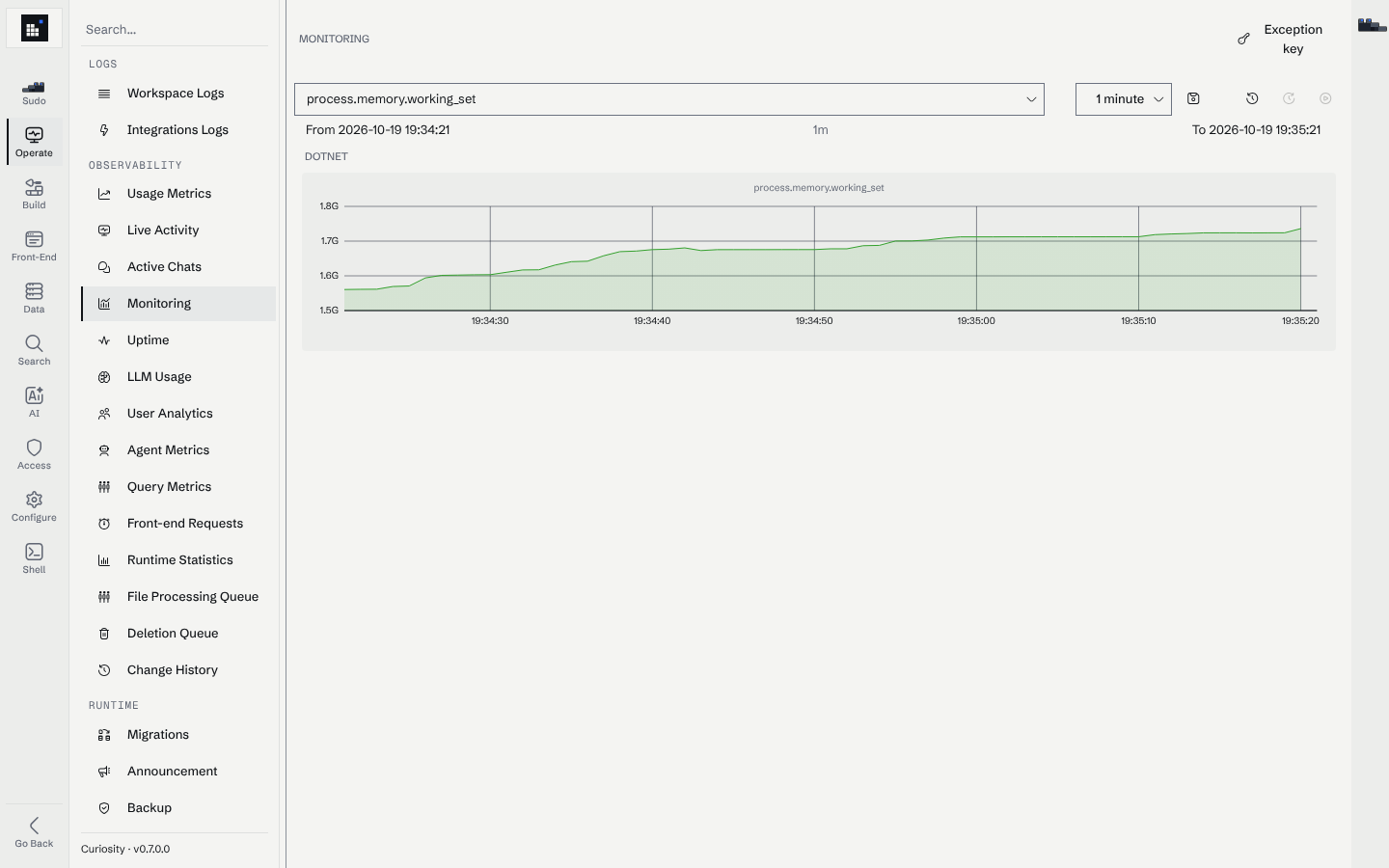
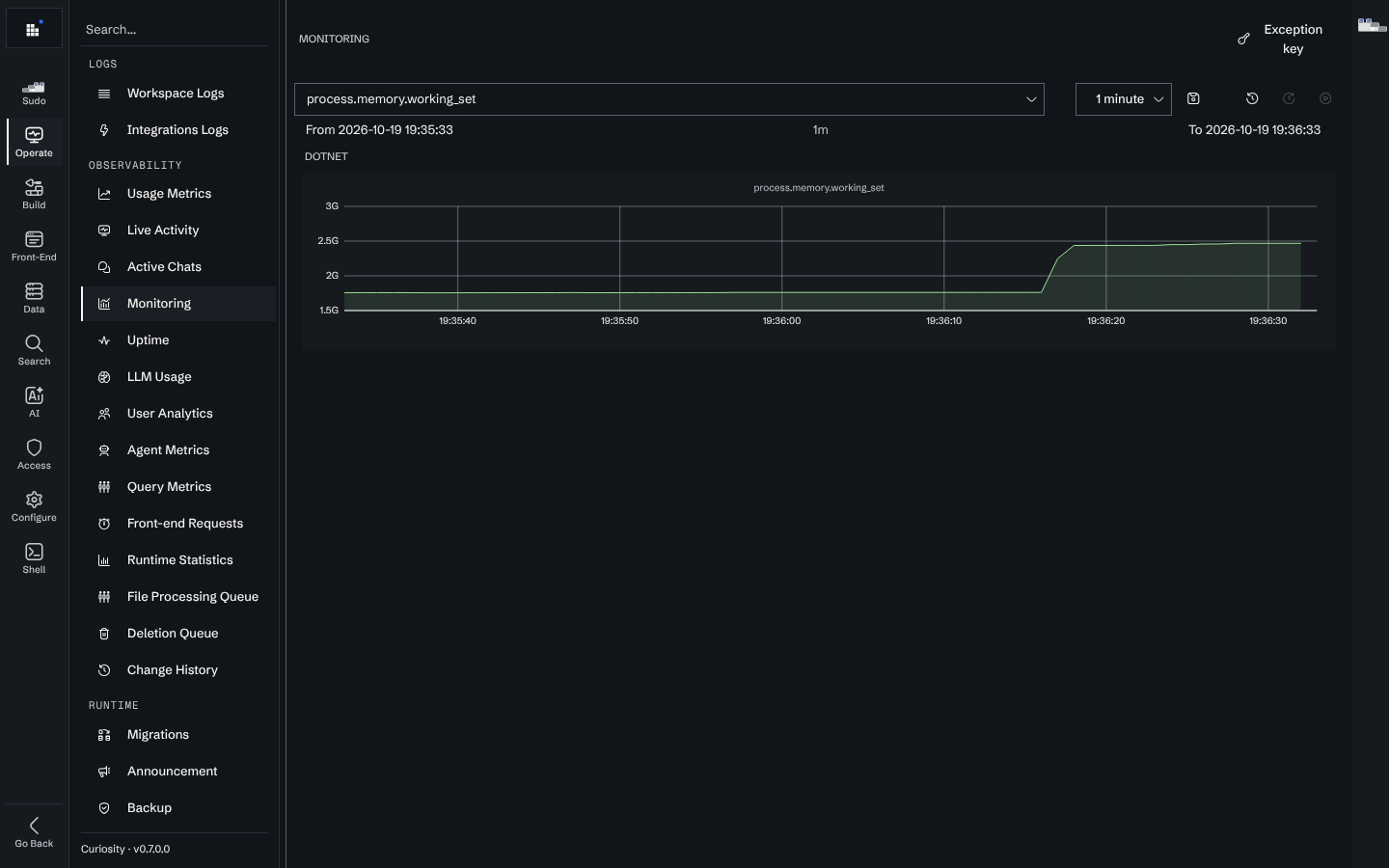
The Workspace UI ships a Monitoring view at #/manage/operate/monitoring that shows the most critical real-time signals:
- ingestion throughput (nodes and edges per minute);
- indexing and file-processing queue depth;
- search latency percentiles;
- CPU, RAM, disk I/O on the workspace host;
- error rates by category.
Operational metrics API
Two admin-authenticated JSON endpoints expose per-operation metrics for ingestion into external systems:
GET /api/endpoints/metrics— counts, latencies, and error rate per custom endpoint.GET /api/chatai/tools/metrics— counts, latencies, and error rate per AI tool.
Both require a bearer token with admin scope. Sample call:
curl -H "Authorization: Bearer $ADMIN_TOKEN" \
  https://workspace.example.com/api/endpoints/metrics | jq .
You can scrape these into a self-hosted Prometheus instance with a prometheus_http_sd job that maps each entry into a metric. A public Prometheus exposition (/metrics) is on the roadmap but not currently shipped — until then, the JSON endpoints above are the supported integration point.
Log routing
By default the workspace writes structured logs to stdout, which works with every container log collector (CloudWatch, Stackdriver, Azure Monitor, ELK, Loki).
To write logs to a mounted volume — useful on a Windows-installer deployment or when the orchestrator's log collection isn't sufficient — set:
MSK_LOG_PATH=/var/log/curiosity
MSK_LOG_LEVEL=Information     # Debug only while diagnosing
Recommended log categories to forward:
- ingestion connector logs;
- endpoint invocation logs;
- admin configuration changes;
- authentication and authorization events.
Error reporting to Curiosity
Unhandled exceptions, and exceptions the workspace logs as errors, are reported to reporting
infrastructure Curiosity runs itself (https://errors.curiosity.ai). What travels, and how, is split
deliberately:
- Stack traces travel in the clear. Each is normalised into a signature — paths, line numbers and compiler-generated names folded away — so the same failure groups across versions and across deployments instead of arriving as one report per occurrence.
- Exception messages are encrypted, with an AES key that belongs to this workspace and is never sent with the report. A message routinely quotes whatever the workspace was processing at the time, which is exactly the content that must not leave.
- The user's identity travels as a hash, with the email address and name encrypted under the same key. A report also carries the deployment identifier, the workspace's public server address (which is what labels the deployment), the version and the build it was raised on.
- A failure inside workspace-authored code names where it came from: the report carries a synthetic top frame naming the code endpoint, AI tool or admin-shell command it was raised in, so two different endpoints are two different reports rather than one. The user is deliberately not in that frame — a bug is one report, not one per person who hit it.
Sending never blocks the thing that failed: reports queue in memory (bounded, oldest dropped first), one background worker drains them, and a per-hour budget caps how many leave a process. Ingest is rate-limited and size-capped on Curiosity's side as well.
The exception key
The key that decrypts the messages is per workspace and stays in the workspace. Manage → Operate → Monitoring carries an Exception key button in its title bar that reveals it, with a copy button. It is behind a button rather than on the page so it does not end up in a screenshot of the dashboard.
Hand it over only when you want Curiosity support to read the messages of a crash you are already reporting: they hold it in memory for thirty minutes and never store it. Without it, support can still group and count the failure — that is what the readable stack trace is for.
The daily usage report
Once a day the workspace also posts the usage counters the Usage Metrics page already tracks, per day, along with its version. Each run re-sends the last few days, so a deployment that was offline yesterday fills its own gap on the next run. No content, no query text and no per-user detail is in it.
Turning it off
| Variable | Effect |
|---|---|
MSK_DISABLE_CLOUD_ERROR_REPORT=true |
No exception reports leave the workspace. |
MSK_DISABLE_TELEMETRY=true |
No daily usage report and no status ping. |
MSK_ERROR_REPORT_SERVER=<url> |
Sends both to another host instead of https://errors.curiosity.ai. |
An air-gapped deployment needs no configuration for this — a report that cannot be delivered is dropped — but setting both variables keeps the attempts out of your egress logs.
Health probes
The workspace exposes an unauthenticated ASP.NET Core health-check endpoint at /health, registered by MosaikStartup against both the root pipeline and any configured ServerBasePath. Concretely, that means a default deployment serves the endpoint at:
https://<workspace>/health— and athttps://<workspace>/{ServerBasePath}/healthwhen a base path is configured.
The endpoint runs three checks on every request:
| Check | What it asserts |
|---|---|
memory |
Process memory is below the threshold set by MSK_UnhealthyMemoryThreshold (bytes). Unset = check is informational only. |
disk |
Free disk space on the graph volume is above MSK_UnhealthyDiskThreshold (bytes). Unset = check is informational only. |
ready |
The graph store has finished loading and the process is not in the middle of a shutdown. |
HTTP status codes
This is the standard ASP.NET Core UseHealthChecks contract:
| Aggregate status | HTTP status | Use as |
|---|---|---|
Healthy |
200 OK |
Liveness and readiness |
Degraded |
200 OK |
Liveness — workspace is serving traffic with reduced capacity (e.g. memory pressure). |
Unhealthy |
503 Service Unavailable |
Fail liveness/readiness. Returned while the graph is still loading, during shutdown, or when a threshold-based check trips. |
For Kubernetes-style probes, treat 200 as success and any other code as failure — there is no longer a need for the old "401 means up" workaround. The endpoint is reachable before authentication is wired up, so it is safe for orchestrator probes.
Response body
The endpoint always responds with Content-Type: application/json. The body is produced by WriteHealthReportResponseAsJson and has the following shape:
{
  "status": "Healthy",
  "results": {
    "memory": {
      "status": "Healthy",
      "description": null,
      "data": {
        "AllocatedBytes": 1234567890,
        "Threshold": 8589934592
      }
    },
    "disk": {
      "status": "Healthy",
      "description": null,
      "data": {
        "FreeBytes": 53687091200,
        "Threshold": 10737418240
      }
    },
    "ready": {
      "status": "Healthy",
      "description": null,
      "data": {}
    }
  }
}
| Field | Type | Description |
|---|---|---|
status |
string |
Aggregate status — Healthy, Degraded, or Unhealthy. Mirrors the HTTP code per the table above. |
results |
object |
Map of check name → per-check result. Always contains memory, disk, and ready. |
results.<check>.status |
string |
Per-check status, one of Healthy, Degraded, Unhealthy. |
results.<check>.description |
string \| null |
Human-readable detail, populated when a check is not Healthy. |
results.<check>.data |
object |
Free-form per-check telemetry (e.g. observed value and configured threshold). Safe to ignore; useful for alert annotations. |
When a check fails, the corresponding entry switches to Unhealthy and the top-level status follows. Example during boot, before the graph has finished loading:
{
  "status": "Unhealthy",
  "results": {
    "memory": { "status": "Healthy", "description": null, "data": { ... } },
    "disk":   { "status": "Healthy", "description": null, "data": { ... } },
    "ready":  { "status": "Unhealthy", "description": "Graph is still loading", "data": {} }
  }
}
See the orchestrator-specific examples in Docker and Kubernetes for probe wiring.
Checking from CI/CD with curiosity-cli
For pipeline use — wait for a freshly-deployed workspace before running smoke tests or imports — use the CLI's wait-for command. It polls the readiness probe with backoff and exits 0 as soon as the workspace is live, so there is no need to write your own retry loop around /health:
# Gate the next step on the workspace being ready (default: up to 30 min)
curiosity-cli wait-for --server https://workspace.example.com/

# Tighten the timeout for short-lived CI runners
curiosity-cli wait-for --server https://workspace.example.com/ --max-timeout 300
wait-for does not require a token. Pair it with test if you also want to assert that a token is valid once the workspace is up. The full flag set (TLS bypass, alternate timeout semantics, environment variables) is documented on the CLI wait-for page.
High-signal alerts
Start with a small set; expand as you learn the workload.
| Alert | Trigger | Why |
|---|---|---|
| Workspace unavailable | Probe to /health returns non-200 for 2 consecutive minutes |
The single most important signal. |
| Container restart loop | More than 3 restarts in 15 min | Usually OOM, panic on bad input, or storage issue. |
| Search latency P95 regression | P95 > 2× the trailing 7-day baseline for 10 min | Often follows a bad index change or insufficient RAM. |
| Ingestion failure rate | Errors / total > 5% for 30 min on any active task | Catches expired source credentials and schema drift. |
| Index rebuild stuck | Rebuild task running > 6h with no progress event | Likely a slow embedding provider or a saturated disk. |
| Auth failures spike | More than 10× the trailing 1-hour baseline | Brute-force, credential stuffing, or a broken IdP. |
| Disk usage on graph volume | > 80% | Plan a resize before you wedge ingestion. |
What to monitor on the underlying infrastructure
The workspace metrics tell you what the application is doing; the infrastructure metrics tell you whether it has the resources to do it.
- CPU: sustained above 80% across the box is a sign you should size up before adding embeddings.
- Memory: the graph engine maps indexes into memory. Investigate any swap activity.
- Disk IOPS: peak IOPS during ingestion and rebuild — undersized disks throttle the whole system.
- Network: outbound to your LLM provider is a common bottleneck.
Audit trails
Administrative activity is written to the workspace audit log files:
- token creation;
- Admin Action entries: deleting a node or edge schema, impersonating a user, issuing a Library, Zapier or front-end token, creating, changing or deleting a secret, installing or removing a package, restoring a backup, the Docker self-update, website uploads, and administrator protection unlocks;
- configuration changes made through the admin pages (endpoints, AI tools, schemas, scheduled tasks, settings, …), one line per change in the configuration-change files, naming the user and the request.
Token revocation and team membership changes are not audit log events. The full list of audited types is on Audit logs.
Forward the audit log to your SIEM. Retention follows your platform's log policy; pick a value that satisfies your compliance window. See Audit logs for where the files are, what an entry contains, and how to verify and export them.
Next steps
- Security — the surrounding operational controls.
- Backup and restore — what monitoring should catch before you need backups.
- Troubleshooting — symptom-first responses to monitoring alerts.