

Debugging access
Access-control problems come down to two questions: what can this user see, and why can they see (or not see) this one node. The Access category of the admin console has a page for each, plus the two pages that decide who may call your endpoints and AI tools.
For the model itself, read the access control model first: everything below is a view onto it.
Access Debugger
#/manage/access/access-debug
Pick a user, and the page answers both questions in two tabs.
What can this user see
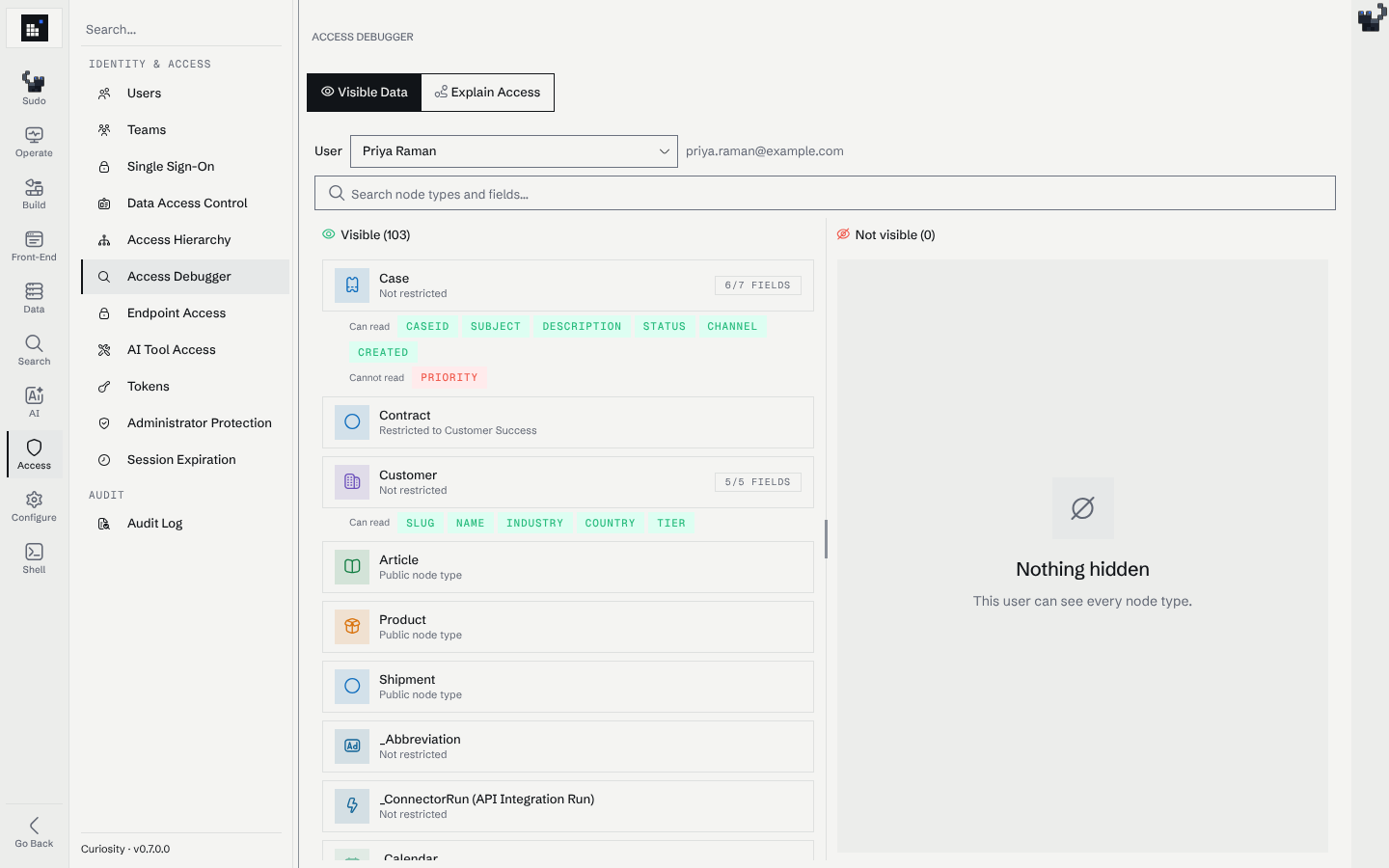
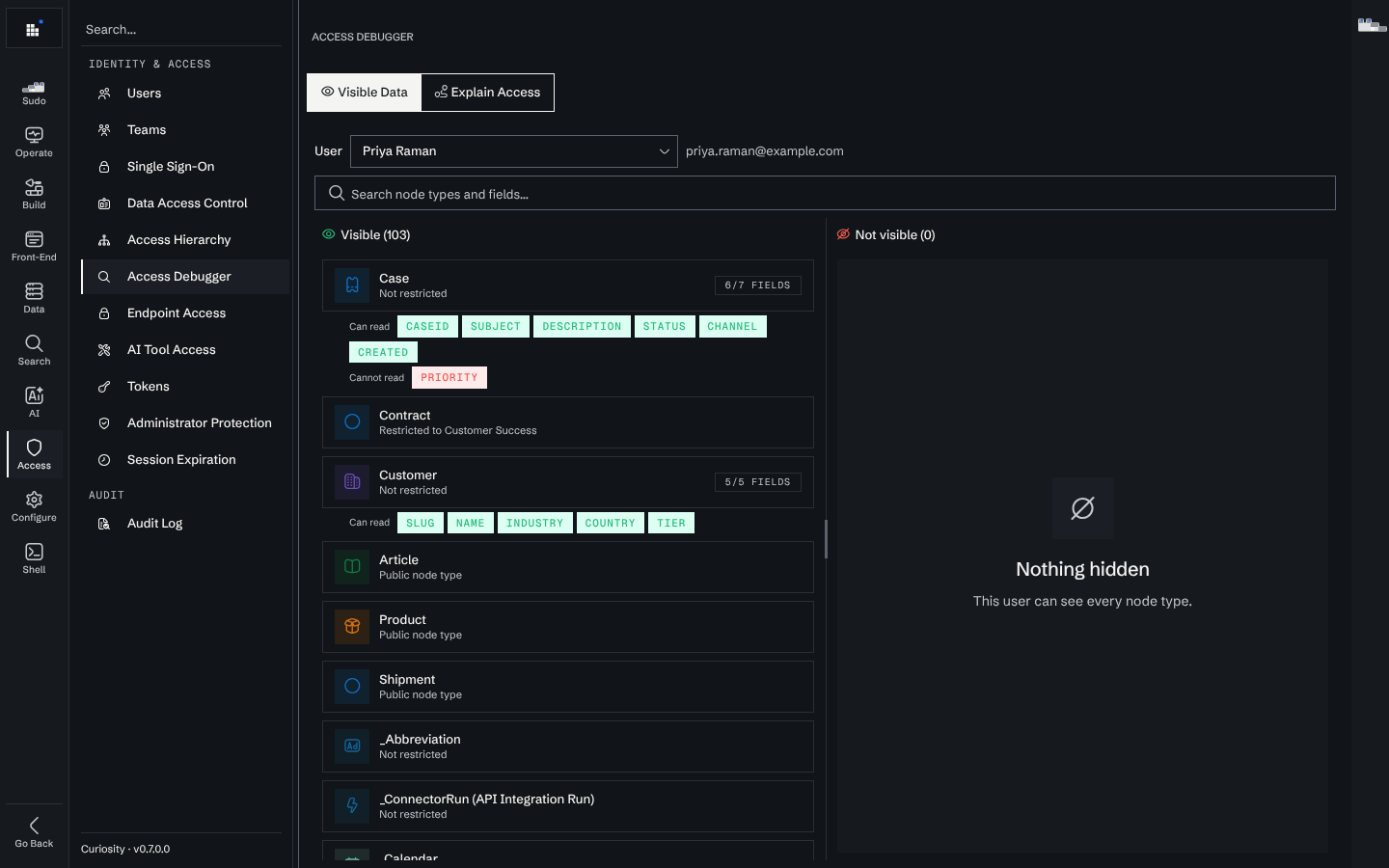
Every node type the user can reach, and, where field-level access control is configured, which fields of those types. This is the tab for "the new starter says half the workspace is empty": compare what they can reach against what you expected them to.
In this example, Priya Raman is in Customer Success. She can read Case but not its Priority field, which is restricted to Support Engineering, and Contract is listed as restricted to Customer Success.
Why can this user see this node
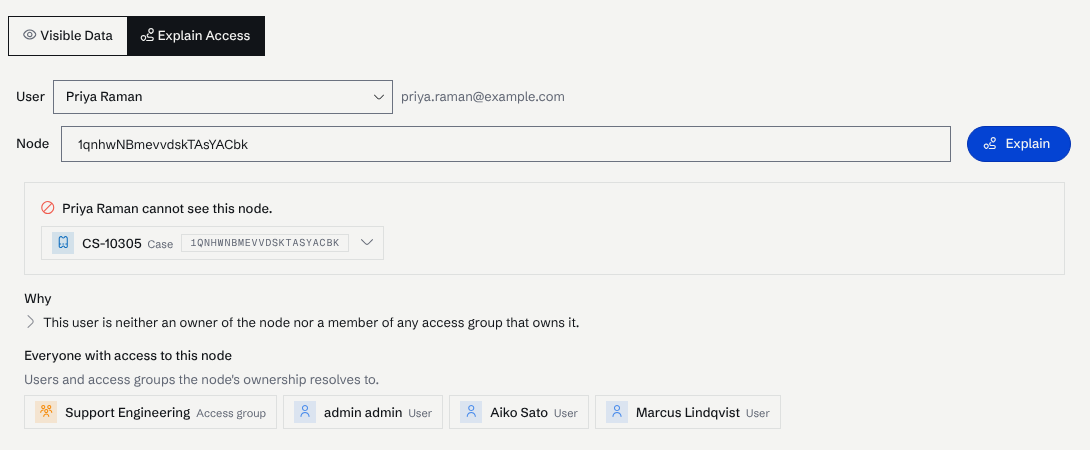
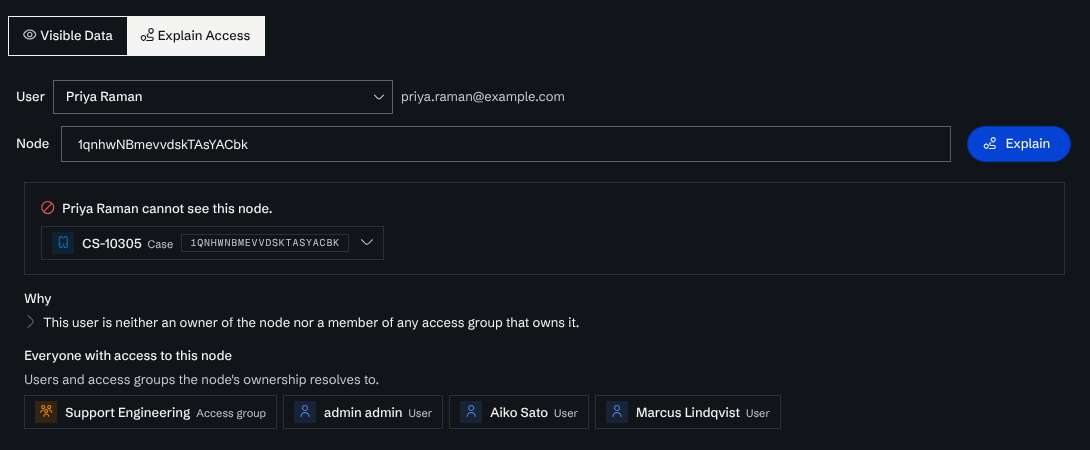
Paste a node and the page draws the chain that carries the access from the node to the user: the ownership edges, the access groups those lead to, and the user's membership in them.
That chain is the answer to both directions of the question. A node the user should not see has a chain you did not intend; a node they should see and cannot has a chain that stops somewhere, and the page shows where.
Here the case CS-10305 is owned by the Support Engineering team. Priya is not a member, so the page lists the owners her access would have to come from:
For Marcus Lindqvist, a member of that team, the same node is visible, and the page draws the path from the case through the team to him:
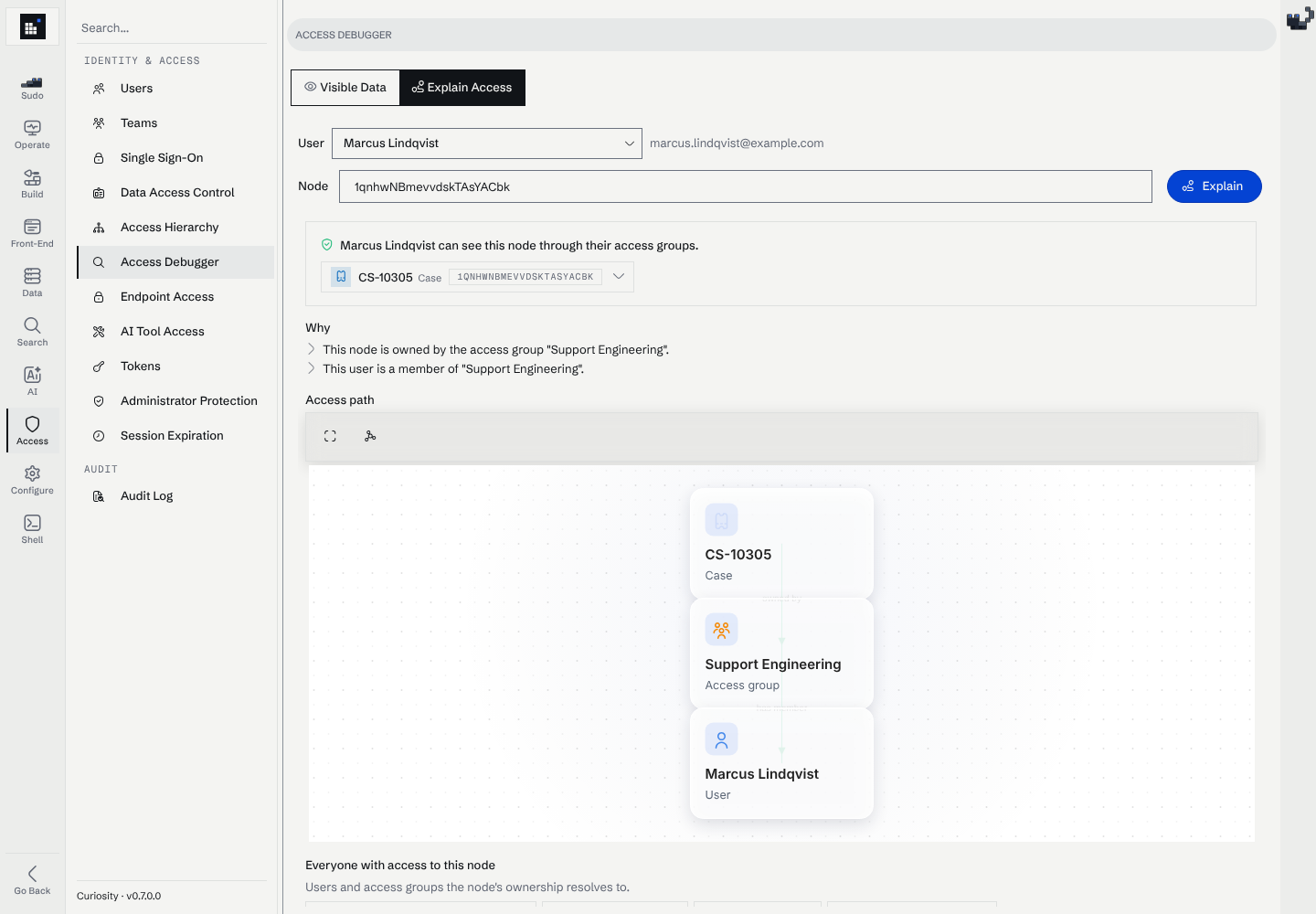
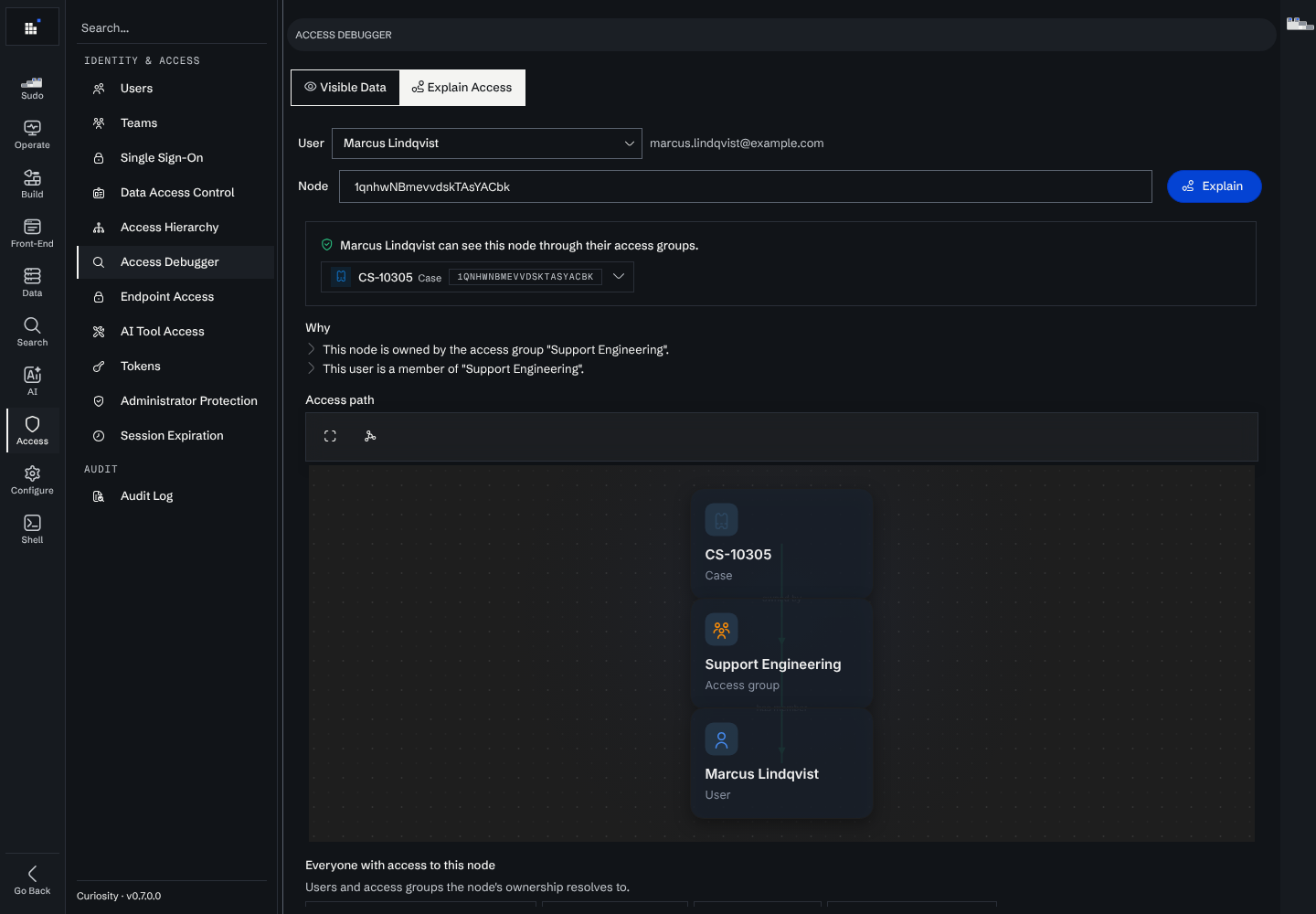
Nested access groups are followed to any depth, and every hop is reported, so a user who reaches a node through three or more groups nested inside one another is explained by the chain that actually carries the access rather than reported as having none.
Debug with the user, not as them
The debugger reports what a specific user can reach without you signing in as them or changing anything. Impersonation is not needed, and neither is a temporary group membership that someone then has to remember to remove.
Endpoint Access
#/manage/access/endpoint-access
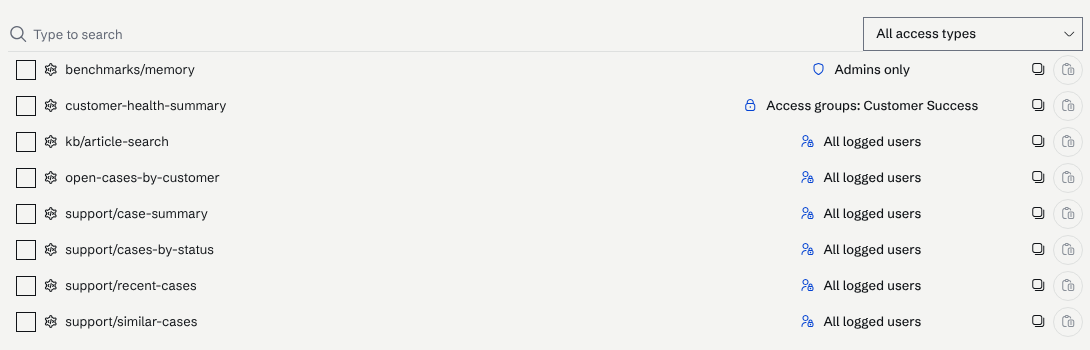
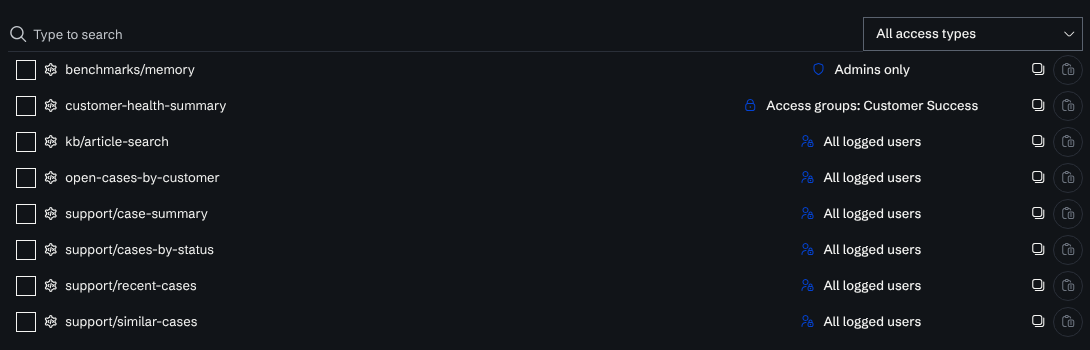
Every custom endpoint in the workspace, listed by path, with its access mode. Selecting several and configuring them together is the usual way to apply a decision across a set of endpoints rather than one at a time.
This is the page to check after adding endpoints, and the one to check first when reviewing what a workspace exposes: an endpoint's access mode decides who can call it from outside, so it is the line between an internal helper and a public API.
See security best practices for choosing a mode, and tokens for calling a protected endpoint from outside.
AI Tool Access
#/manage/access/ai-tool-access
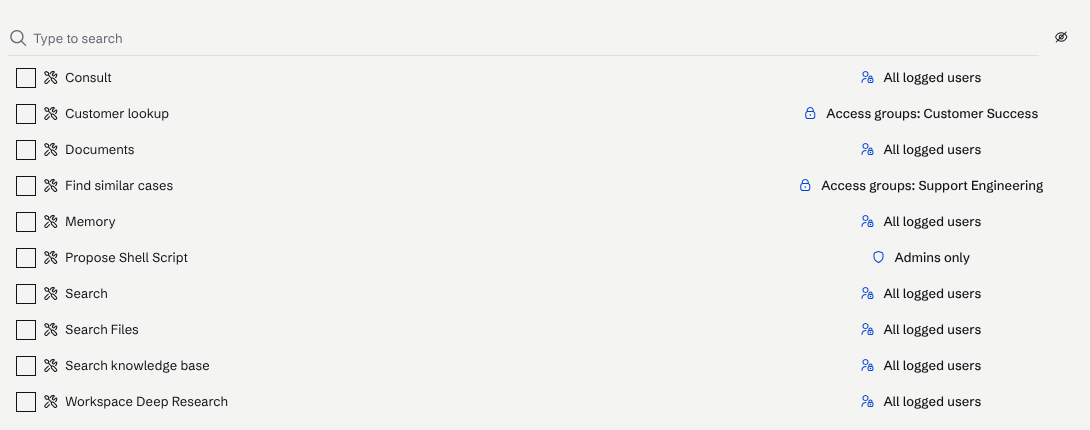
The same page for AI tools: every tool, its access mode, and bulk configuration across a selection.
Worth reviewing whenever a tool gains the ability to do something new. A tool that reads is a different proposition from one that writes or that calls an external service, and the access mode is where that difference is expressed. The built-in tools carry their own modes; most are admin-only.
Tokens
#/manage/access/tokens
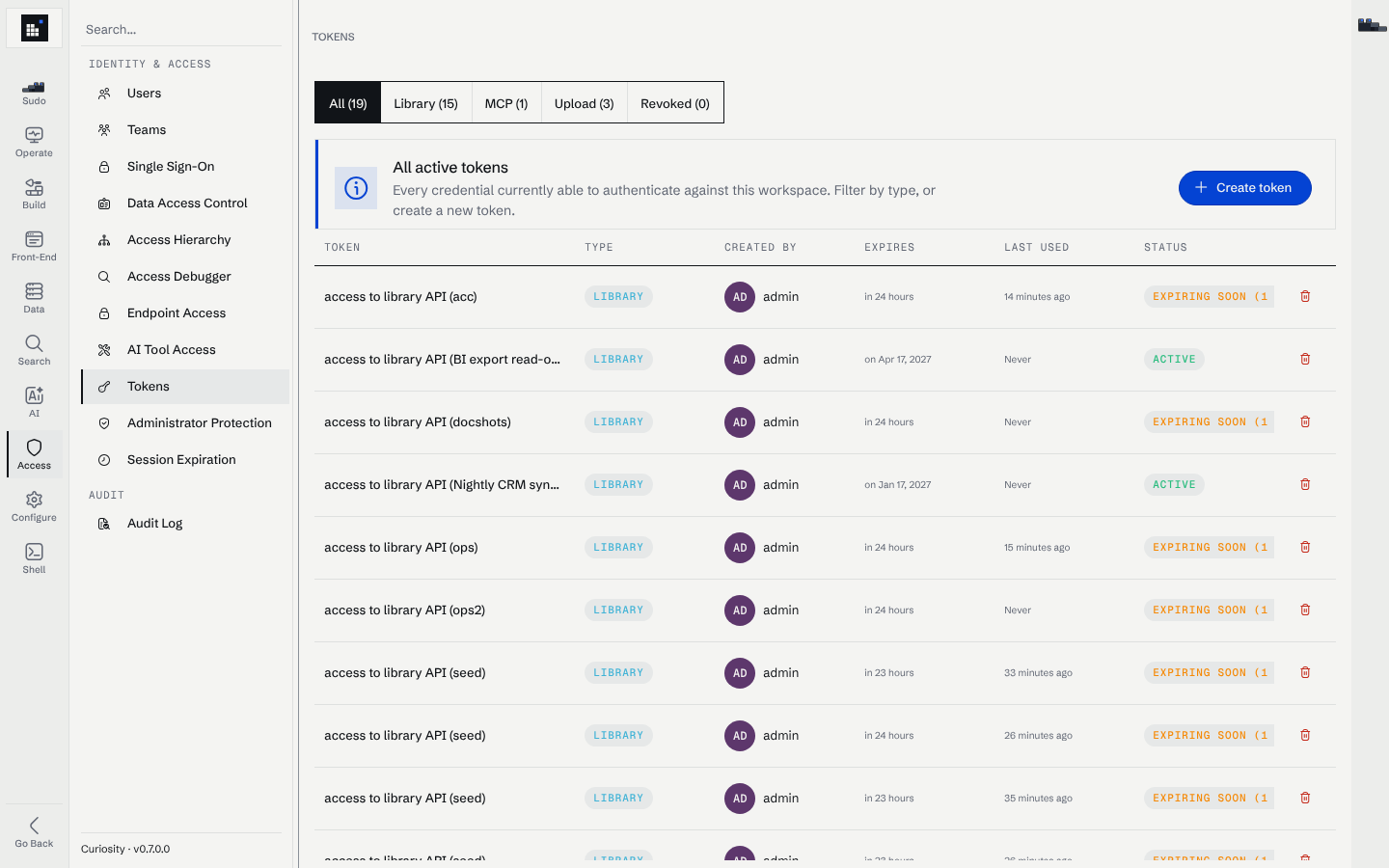
API tokens and access keys, with the scopes each carries. See token scopes for what a scope grants, and calling endpoints externally for using one.
Tokens are the credential most likely to outlive the reason it was issued, so this is a page worth reading periodically rather than only when something breaks.
Audit log
#/manage/access/audit
The signed audit log files: sign-ins, node reads and views, downloads, searches, AI chats and administrative actions. Search them by user, node or audit type, download them, and check their signatures. See Audit logs.
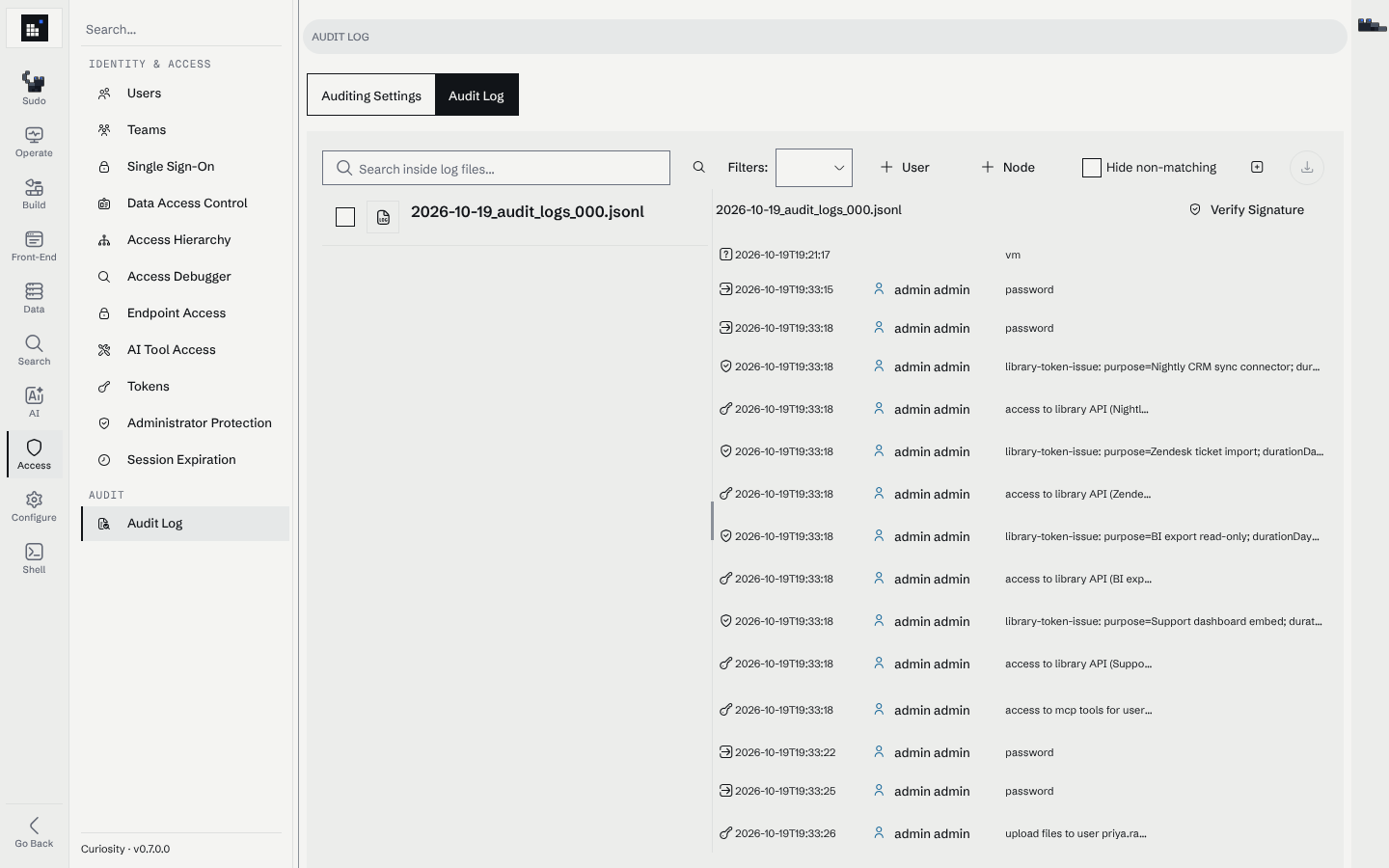
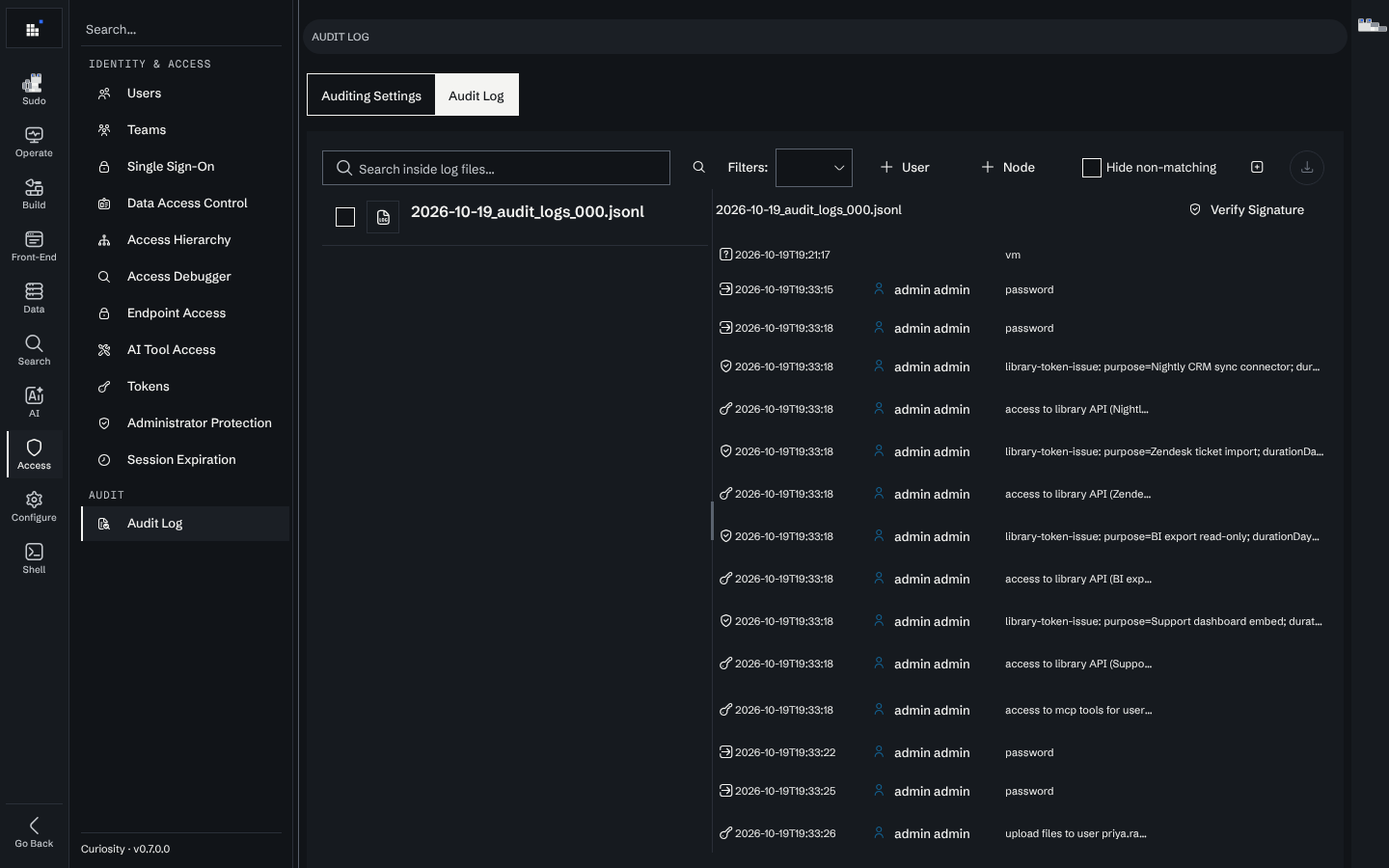
Configuration changes, including every change applied through Sudo, are recorded in the configuration Git history, attributed to the administrator who made or approved them, in the same history as a change made by hand.
A workflow for "user X cannot see Y"
Confirm the user and the node
Get the user's account and the node's UID. "Cannot see the sales folder" is usually several nodes, so pick one of them.
Ask the Access Debugger why
Open the "why" tab with that user and that node. It draws the chain, or shows where it stops.
Fix at the level the chain broke
A missing group membership is a Users or Teams change; a missing ownership edge is a connector or schema question; a node in the private group is behaving as configured.
Re-check the same pair
The debugger reads live, so the same query confirms the fix without waiting for a reindex.
If the node is reachable but does not appear in search specifically, the problem is more likely indexing than access: check the File Processing Queue and reindexing.
Read next
- The access control model — how access is carried through the graph.
- Permissions — roles and what each can do.
- User management — creating users and teams.
- The admin console — the whole map.