

User and Team Management
Users, teams, and their relationships live as nodes in the workspace's graph — so every operation is auditable, scriptable, and integrates cleanly with the rest of the platform.
This page is the reference for lifecycle: how users come in, how they get the right access, how access changes as roles change, and how they leave cleanly.
For the underlying authorization model see Access control model. For SSO setup see SSO providers.
Permission model in one paragraph
Curiosity uses Relationship-Based Access Control (ReBAC). A user's access is computed at query time from edges in the graph: which teams a user belongs to, which data nodes those teams are linked to, which user-specific restrictions apply. There is no static role-permission matrix to keep in sync with content — the graph is the matrix.
User and team types
| Node type | Purpose |
|---|---|
_User |
A person who can sign in. Created via UI, SSO, or CreateUserAsync. |
_AccessGroup |
A team. Used for permission grants; users link via MemberOf edges. |
Admin status, SSO group membership, and last-login info are properties on the _User node — inspectable like any other graph data, subject to who is asking (below).
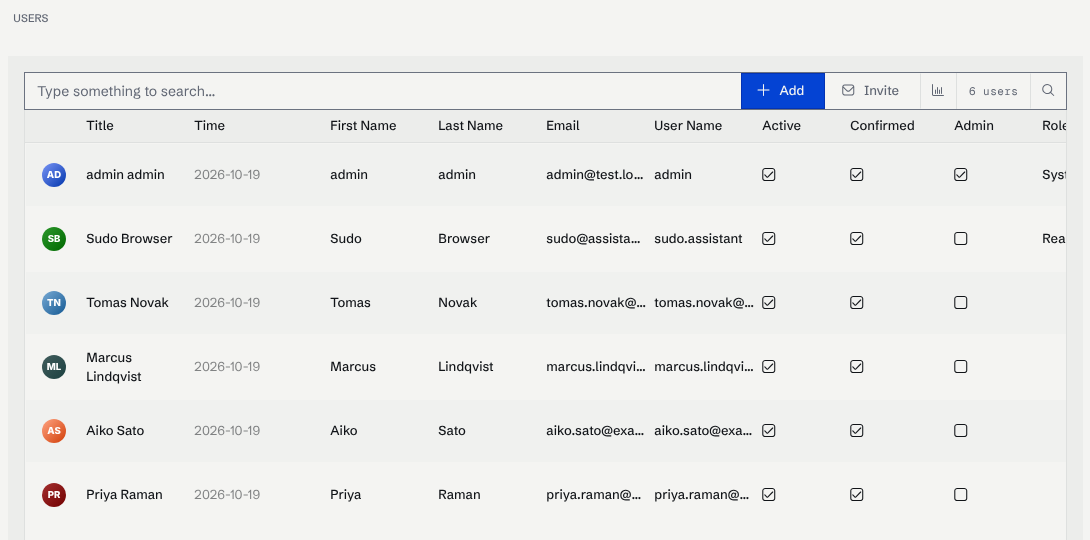
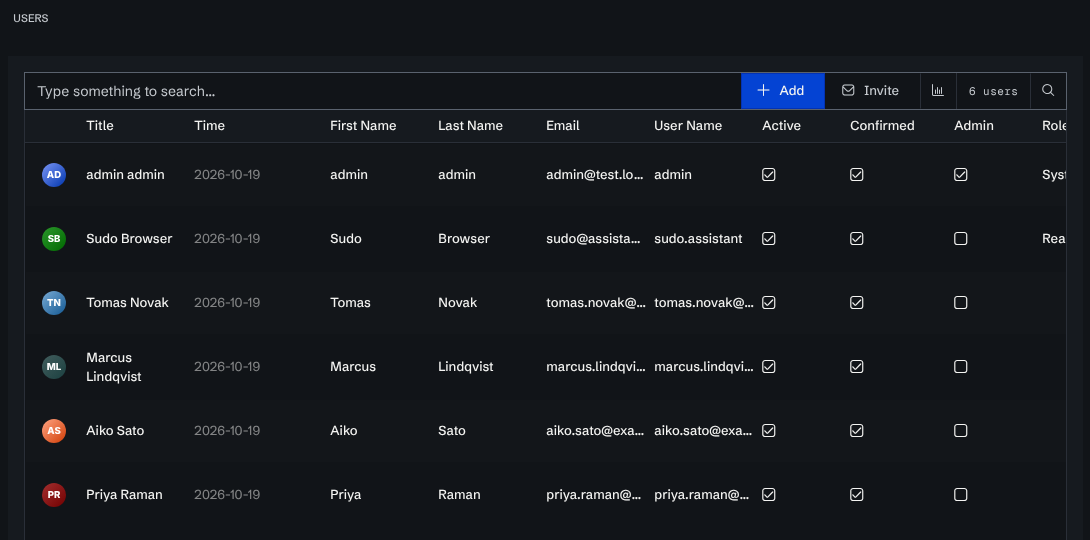
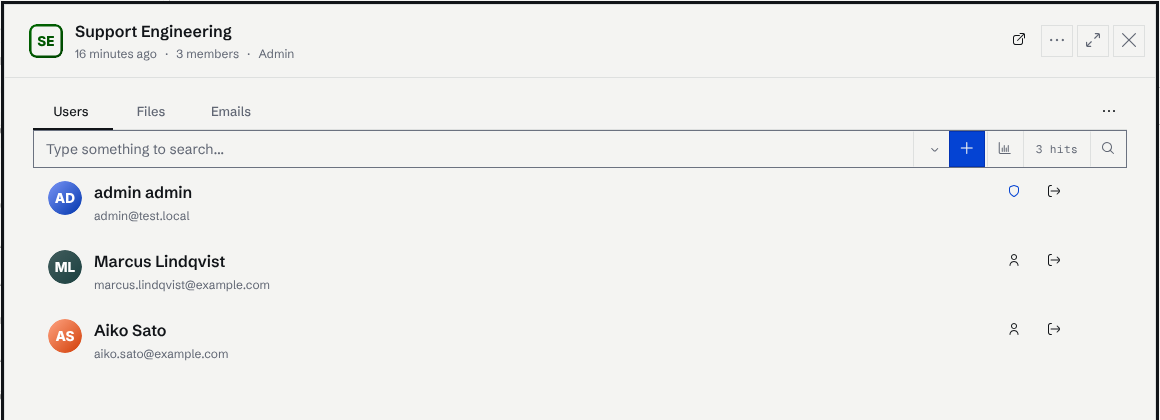
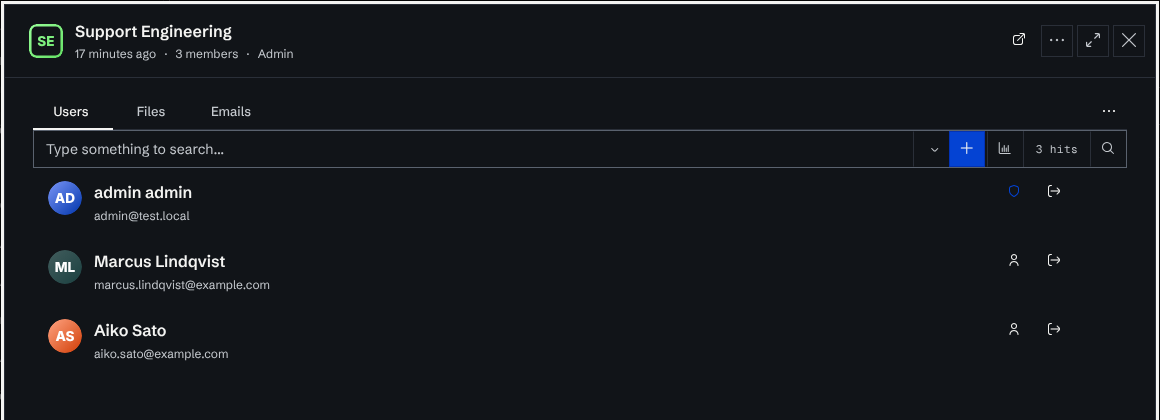
In the admin console, Manage → Access → Users lists the _User nodes and Teams lists the _AccessGroup nodes. Opening a team shows its members.
What one user sees of another
A _User node read by another signed-in user returns only who the person is:
| Returned to any signed-in user | Withheld |
|---|---|
UID, Type, Timestamp, UserName, FirstName, LastName, FullName, Email |
The system-admin flag and the roles behind it, whether the account is active and confirmed, one-time-password (two-factor) state, metadata, and interface preferences |
The projection is applied wherever a user node is handed out — GET /api/node/{uid},
POST /api/node/query, /api/node/many/full, /api/node/many/field, groups/group/{uid}/users,
search results, and a CSV, JSON Lines or Excel download of the user node type.
The person themselves and any system administrator — read-only included — still read the whole record, so the admin Users pages and a user's own profile are unchanged. A user is also always granted access to their own user node, so no node-type access configuration can lock somebody out of their own record.
Integrations reading user exports
An export or API response that used to carry SystemAdmin, Roles or Active for every user now
carries them only for an administrator's own calls. If an integration reads those columns, give it a
system-admin token or have it call the admin user endpoints instead. Exports now also apply
field-level access control,
which they did not before, so other node types can come back with fewer populated cells too.
Lifecycle
1. Invite or provision
There are three onboarding shapes:
| Shape | Best for |
|---|---|
| UI invite. Admin adds a user from Admin → Users and emails them. | Small teams, ad-hoc additions. |
SSO JIT provisioning. First sign-in via SSO creates the _User node. |
Large orgs. Default for production. |
| Bulk via API. A connector creates users from HRIS data. | Onboarding from an identity source you already maintain. |
var user = await graph.CreateUserAsync(
    userName:  "alice",
    email:     "alice@example.com",
    firstName: "Alice",
    lastName:  "Smith",
    isActive:  true);
CreateUserAsync is idempotent — re-running with the same email is a no-op.
2. Map SSO groups to teams
For SSO-provisioned users, groups arrive as claims in the SAML/OIDC response. Map them to workspace teams in Admin → SSO:
| SSO group claim | Workspace team |
|---|---|
eng-platform |
Platform |
eng-mobile |
Mobile |
support-l2 |
Support — L2 |
On every sign-in the workspace reconciles team membership against the claim — adding new memberships and removing dropped ones. There's no manual sync to schedule.
If your IdP doesn't expose groups, fall back to attribute-based mapping (department=Engineering → team Engineering).
3. Grant access
Default: a node has no explicit restrictions and is visible to all signed-in users. Grant narrower access via the graph:
graph.RestrictAccessToTeam(reportNode, marketingTeam);   // only marketing
graph.RestrictAccessToUser(reportNode, specificUser);    // only one person
graph.ClearPermissions(reportNode, exceptOwners: null);  // remove all, only system access
Permission grants are graph edges — they show up in the Permissions panel on the node's detail page. Granting or revoking one is not an audit log event; record it in the task or connector that makes the change if you need a trail.
4. Promote to admin
Admin is a property, not a team. Promote via the UI or programmatically:
// Equivalent to checking "Admin" in the user dialog.
graph.AddAdminToTeam(user, workspaceAdminTeam);
Treat admin as a separate identity. Many orgs require admins to have a second account (alice-admin@example.com) used only for admin tasks; the day-to-day account is a regular user.
5. Audit and review
Quarterly reviews catch creep:
| Review | What to look for |
|---|---|
| Inactive users. Anyone who hasn't signed in for 90+ days. | Deactivate. |
| Over-privileged users. Members of teams they no longer work with. | Remove from those teams. |
Stale grants. RestrictAccessTo* edges on nodes nobody references. |
Drop the edges if the node still exists; delete if not. |
| Orphan admin tokens. Tokens created by departed admins. | Rotate immediately. |
The workspace's admin panel exposes these views; the underlying queries are also graph queries you can run yourself.
6. Deactivate
Three steps, in order:
- Set
isActive = falseon the user node. Their session is invalidated on next request. - Remove SSO group claims (or disable the user in the IdP). Prevents re-activation by signing in again.
- Transfer ownership of any nodes they own (see below).
- (Optional) Delete the node after retention period. Keeping
_Usernodes around preserves audit trails — most orgs do.
7. Ownership transfer
When alice@example.com leaves and owned 200 nodes, transfer those edges in one query:
var alice = Node.GetUID(N._User.Type, "alice@example.com");
var bob   = Node.GetUID(N._User.Type, "bob@example.com");

// Replace every Owns edge from alice with one from bob.
await graph.QueryAsync(q => q
    .StartAt(alice)
    .Out("Owns")
    .Take(int.MaxValue)
    .Emit("N"));

// (apply re-linking in your connector loop)
The pattern: query → relink in a connector → commit. For files specifically, the SDK has helpers (RestrictAccessTo*) that handle the common shape.
Programmatic management
| Action | C# API |
|---|---|
| Create a user | CreateUserAsync(userName, email, firstName, lastName, …) |
| Create a team | CreateTeamAsync(teamName, description) |
| Add a user to a team | AddUserToTeam(user, team) |
| Promote a user to team admin | AddAdminToTeam(user, team) |
| Remove a user from a team | RemoveUserFromTeam(user, team) |
| Nest a team inside another team | AddTeamToTeam(childTeam, parentTeam) / RemoveTeamFromTeam(childTeam, parentTeam) — see Nested Access Groups |
| Restrict a node to a team | RestrictAccessToTeam(node, team) |
| Restrict a node to a user | RestrictAccessToUser(node, user) |
| Clear permissions on a node | ClearPermissions(node, exceptOwners) |
| Bulk cache the ACL graph before large writes | InitializeAccessControlAsync(cachePath) / CacheAccessControlAsync() |
See C# SDK and Python SDK.
Least-privilege defaults
- Grant via team, not via user. Easier to revoke.
- Use the principle: a user gets access through one team per resource, never two. Multiple grant paths make revoke ambiguous.
- Admin accounts should be separate from day-to-day accounts.
- Token scopes for connectors should be writes-only on the relevant types — no admin scope. See Token scopes.
- Audit log files carry user names, email addresses and AI chat content; treat any copy or export as personal data. See Audit logs.
Lifecycle diagram
Common pitfalls
- Granting to users directly. Looks simple, becomes unmanageable. Always go through teams.
- Forgetting ownership transfer. Deactivated users still appear as owners on orphan nodes.
- SSO claim drift. A user changes departments at the IdP but the claim isn't refreshed until they sign in. Force re-sign-in periodically.
- No deactivation runbook. Every offboarded user is a security gap until you have a documented procedure.
- Mixing personal and admin accounts. Hard to audit "did Alice do this as admin or as user?"
Where to go next
- Access control model — ReBAC deep dive.
- SSO providers — IdP integrations.
- Permissions — per-node permission UI.
- C# SDK — programmatic user/team management.