

Schema Design
Schema design is the most important step in building a Curiosity Studio application. It determines:
- how users navigate and explore data
- how search is scoped and filtered
- how AI features can ground and enrich results
- how connectors keep data consistent over time
This page covers the design rules, then walks through three concrete enterprise schemas you can adapt: customer support, manufacturing/engineering, and a compliance knowledge base.
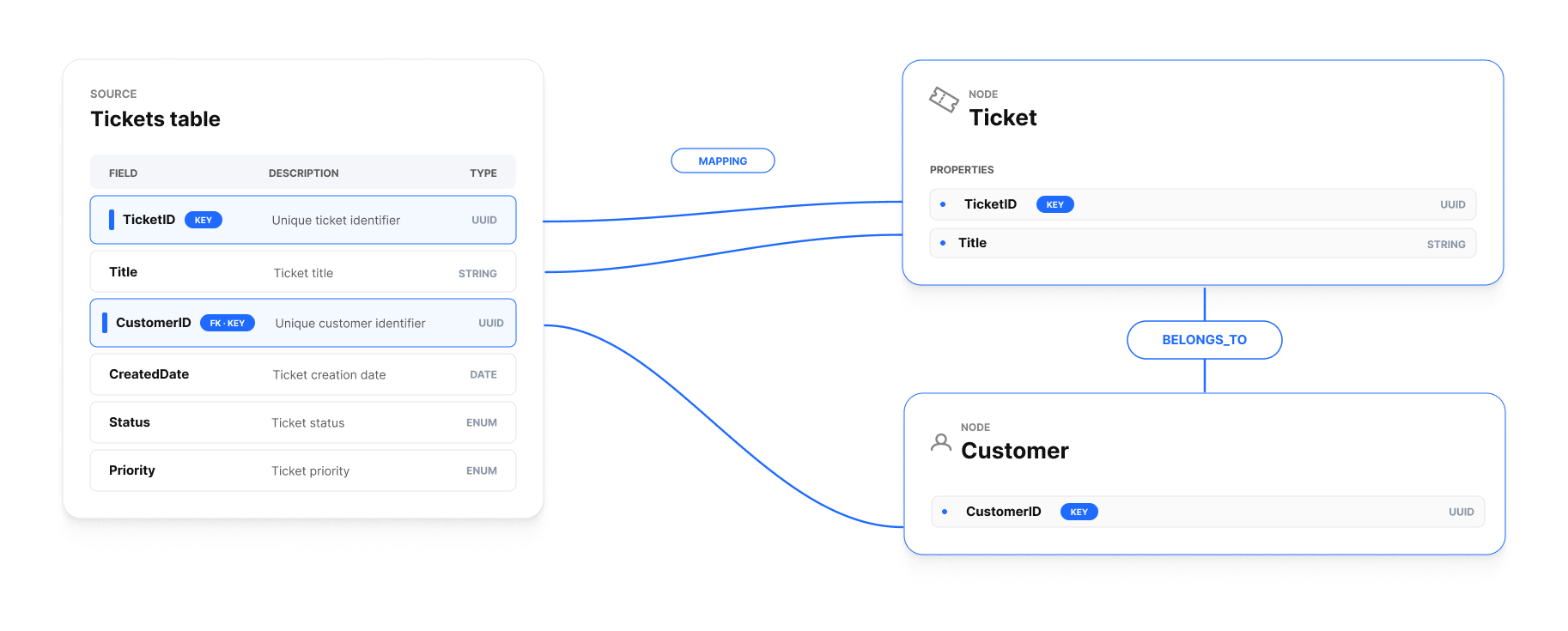
The three building blocks
A graph schema in Curiosity has three layers:
- Nodes (entities) — the "things" in your domain:
Customer,Ticket,Document,Device,Policy. Each node type is a C# class with a[Key]and zero or more[Property]fields. - Edges (relationships) — typed links between nodes:
HasTicket,Mentions,ReportsTo. Edges are first-class — you traverse, facet, and search by them. - Properties (attributes) — scalar fields for display, filtering, sorting, and search/embedding input.
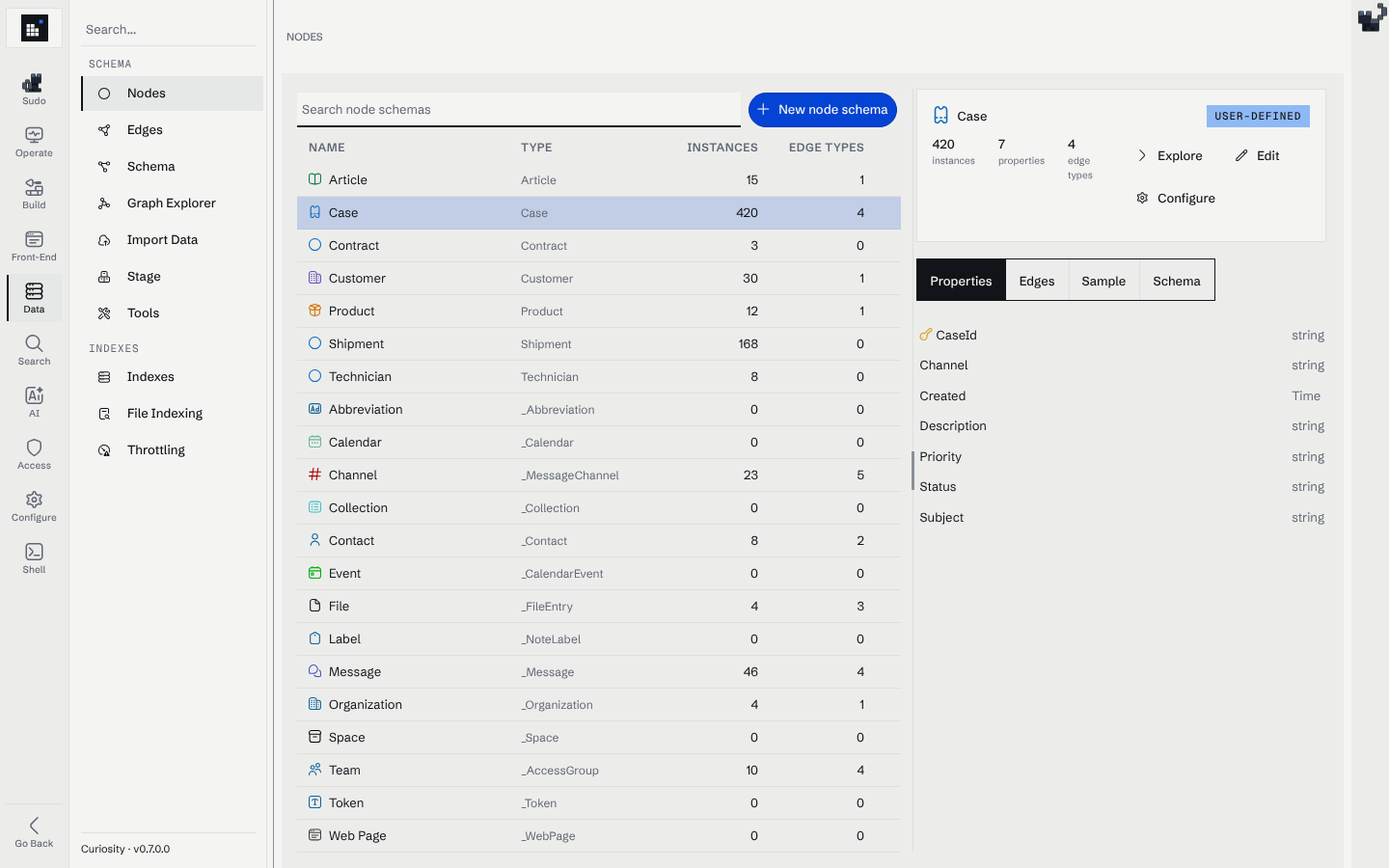
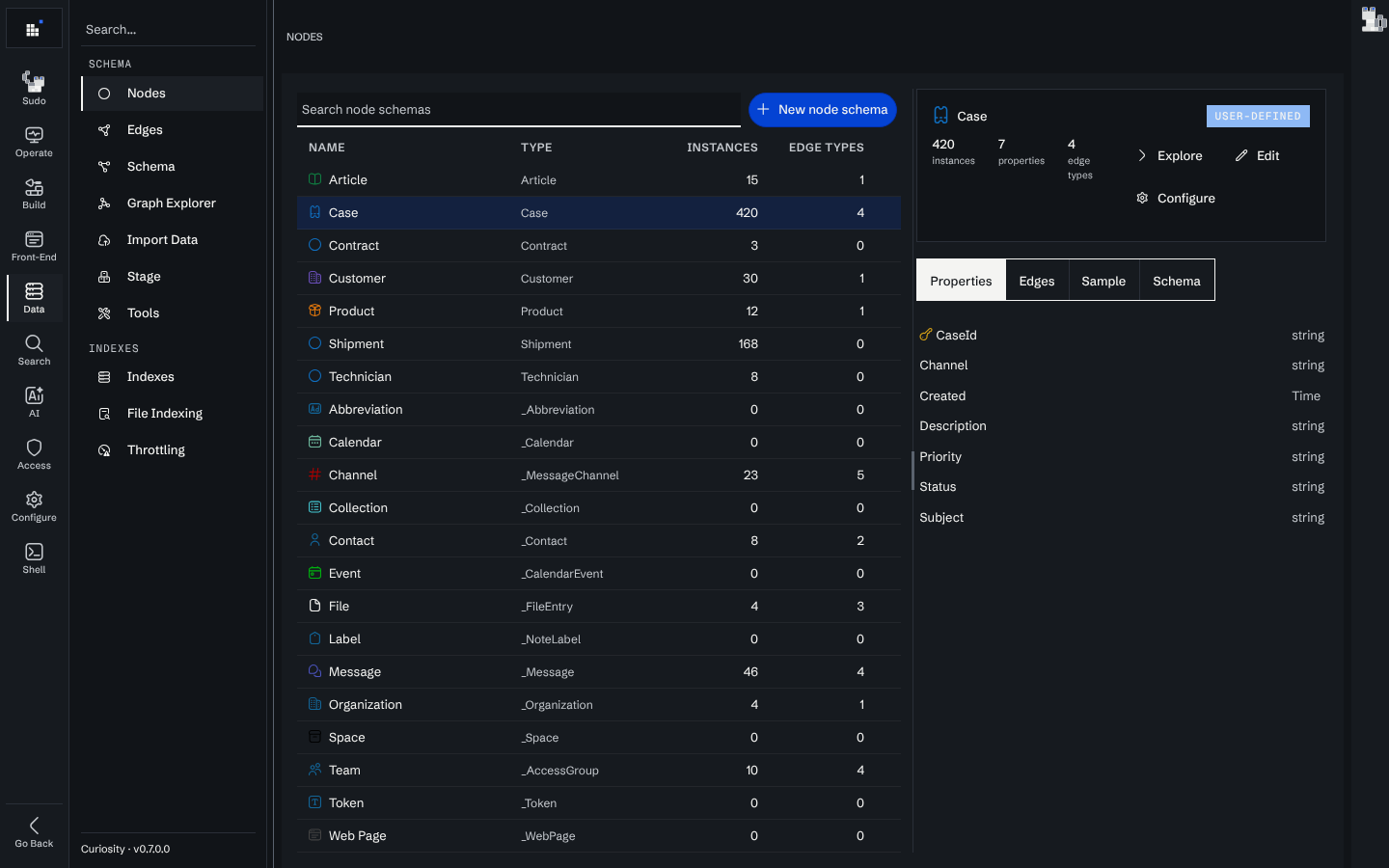
Data → Nodes shows the result for a node type: its instance count, edge types and fields, with the key marked:
Start from user journeys
Before writing your first schema, answer these five questions:
- What are the top 5 questions users ask?
- What workflows do they execute?
- Which objects do they search for first?
- What do they click on next?
- Where do they need to navigate from there?
Those answers map directly to:
- the primary node types,
- the edges between them,
- the filters and facets you must support.
If a question can't be answered with the schema you're drafting, the schema is wrong.
Keys: pick stable identity early
For each node type, define a stable key:
- Prefer source IDs. They're stable, unique, and recognized by your users.
- Synthetic keys are OK if you control allocation and store the mapping.
- Deterministic hashes (canonicalize → hash) are acceptable when source IDs don't exist, but they're brittle under schema change — any tweak to the canonicalization recreates everything.
- Avoid random IDs unless you never need to re-run ingestion against the same source.
The single biggest ingestion bug is unstable keys. If your connector produces duplicates, the key is the first thing to inspect.
Node vs property: a decision rule
Use a property when:
- the value is only displayed or filtered on the current node;
- you do not need to navigate to it as an entity;
- the value has no metadata of its own.
Use a node + edge when:
- you need cross-cutting filters (e.g., status across multiple types);
- you need navigation ("show all tickets for this customer");
- the value should have its own metadata (description, owner, lifecycle);
- the value is shared across many records (avoid duplicating spelling variants).
A quick smell test: if you find yourself writing Where(n => n.GetString("Status") == "Open") everywhere, Status probably wants to be a node — and then you can do .Out(edgeType: "HasStatus") from the open-status node and get a free facet.
Edges should read like sentences
Name edges so traversals read naturally:
Customer ─HasTicket─▶ Ticket ─ForProduct─▶ Product— reads like English.- Maintain bidirectional names when readability improves; the graph engine treats them symmetrically.
public static class Edges
{
    public const string HasTicket  = nameof(HasTicket);
    public const string TicketOf   = nameof(TicketOf);
    public const string ForProduct = nameof(ForProduct);
    public const string HasStatus  = nameof(HasStatus);
}

graph.Link(customer, ticket, Edges.HasTicket, Edges.TicketOf);
Edges have no properties
An edge is just a type plus the two nodes it connects — it carries no fields. When a relationship needs its own data (a role, a score, a date range), model it as an intermediate node and link both endpoints to it. See Property Graph Model → Edges.
Unique vs. non-unique edges
When a connector links two nodes it chooses whether the edge is unique:
- Unique edge (recommended for most connectors): adding the same
(type, source, target)again is idempotent — it updates the existing edge instead of creating a duplicate. Re-running ingestion keeps the graph clean. Use it for set-valued relationships ("customer has ticket", "user in team"). - Non-unique edge: every add creates a new link, so the same pair can be connected by many edges of the same type. Use it only when each occurrence is meaningful (e.g., one edge per event).
graph.Link(...) adds unique edges by default; choose the non-unique path explicitly when you need to retain duplicates. See Property Graph Model → Edge uniqueness.
Worked example 1 — customer support
| Node | Key | Properties | Indexed for search? |
|---|---|---|---|
Customer |
Id |
Name, Tier, Region |
name only |
Product |
Sku |
Name, Category |
name |
Manufacturer |
Name |
Country |
name |
Status |
Code |
Label, IsOpen |
label |
Ticket |
Id |
Subject, Body, CreatedAt, Priority |
subject + body (text + vector) |
Message |
Id |
Author, Text, SentAt |
text (vector if long) |
Entity |
Name |
Kind |
name |
Why this shape:
- Hub entities (
Customer,Product,Ticket) are what users search for; everything else is reachable from them. - Status as a node gives a stable facet across types and metadata about each status (e.g., "open" vs "resolved").
- Messages are separate so they can be embedded individually (chunked) for better semantic retrieval.
- Entity is filled in by NLP extraction; it lets users facet by mentioned product/component names.
Worked example 2 — manufacturing / engineering docs
| Node | Key | Notes |
|---|---|---|
Document |
DocNumber |
Versioned via RevisedFrom edge to predecessor. |
Part |
PartNumber |
Canonical part. |
Assembly |
AssemblyNumber |
Sub-assemblies modeled the same way (recursive). |
Product |
Sku |
The shippable product. |
Engineer |
Email |
Mapped from SSO. |
Team |
Name |
SSO-mapped team for ACL. |
The RevisedFrom edge models history without duplicating the schema. To answer "show me revisions of doc D-12345", traverse Document {DocNumber: D-12345} → In(RevisedFrom) until no more predecessors.
Worked example 3 — compliance knowledge base
| Node | Key | Notes |
|---|---|---|
Regulation |
Code |
E.g., SOC2-CC6.1, GDPR-Art32. |
Policy |
Id |
Internal policy ID. |
Control |
Id |
The implementation of a policy. |
Audit |
Id |
A scheduled/completed audit cycle. |
Document |
Id |
Evidence: PDFs, screenshots, signed attestations. |
Team |
Name |
Who owns evidence; drives ReBAC. |
This schema is small but powerful: from a regulation node, traverse outward to find every policy → control → audit → evidence in three hops.
Indexing decisions follow the schema
Once the shape is right, the search configuration writes itself:
- Index titles, identifiers, and names as text.
- Index long descriptive fields as embeddings with chunking.
- Index status, priority, category, region as property facets.
- Add related facets for the hub entities users will filter by (
Customer,Product,Team).
See Search Optimization and Vector Search.
Schema evolution
Real schemas evolve. Plan for it:
- Add a property — safe; existing nodes get null; backfill in a scheduled task if needed.
- Add a new node or edge type — safe; register schema, ingest going forward.
- Rename a property — non-trivial; add the new property, dual-write during a deprecation window, migrate readers, remove old property.
- Change a key's type or domain — treat as a new node type; migrate, retire the old one.
- Remove a property — drop it from the schema and rebuild the search index.
See Reindexing and re-embedding for the rebuild side, and Upgrades and migrations for the operational shape.
Common anti-patterns
- Properties pretending to be nodes — repeating spelling variants in a
Tagproperty when the user navigates by tag. MakeTaga node. - Edges pretending to be properties — storing a comma-separated list of related items in a property. Make them edges.
- Over-normalizing — turning every value (every word, every author name) into a node. Keep it to things users navigate or facet.
- Missing time — no
[Timestamp]on event-like nodes means no recency sort and broken time facets. - Composite keys — keys that combine source ID + version + region. Pick one identity; model the others as edges or properties.
Where to go next
- Apply the schema to ingestion: Connectors.
- See worked schemas in real code: the HackerNews example and the Technical Support tutorial.
- Configure search on top of your schema: Search Optimization.
- Build the rest of the app end-to-end: Build your first enterprise AI app.