

Timing the steps of a run
An AI tool or a code endpoint can time the parts of its own work with BeginStep and StepAsync. Each
step is drawn as a bar on a timeline, under the run it belongs to, so a slow tool call or endpoint run
shows where its time went. This page covers the two calls, where the steps appear, and when they are
recorded.
Time a step
The endpoint below times two counts that run in parallel, two model calls, and a check it makes on the result:
var members = await StepAsync("Count the workspace", async () =>
{
    var counts = await Task.WhenAll(
        StepAsync("Count the users",
            () => Task.FromResult(Q().StartAt(N._User.Type).Count())),
        StepAsync("Count the access groups",
            () => Task.FromResult(Q().StartAt(N._AccessGroup.Type).Count())));

    return counts[0] + counts[1];
});

var prompt  = $"The workspace has {members} users and access groups.";
var summary = await StepAsync("Summarize with the model",
    () => ChatAI.SummarizeAsync(prompt, userUID: CurrentUser),
    detail: "default provider");

using (var step = BeginStep("Check the summary"))
{
    if (summary.Length < 2000) step.Fail($"{summary.Length} characters, 2000 asked for");
    else step.SetDetail($"{summary.Length} characters");
}

var title = await StepAsync("Title it with the model",
    () => ChatAI.SummarizeAsync(summary, userUID: CurrentUser));

return new { members, title, summary };
The same calls exist on the AI tool scope
as scope.BeginStep and scope.StepAsync, and as top-level calls in both
endpoint execution scopes.
| Member | What it does |
|---|---|
StepAsync(name, work, detail = null) |
Runs work, times it, and returns what it returns (StepAsync<T>). If work throws, the step is marked failed with the exception's message and the exception is rethrown. |
BeginStep(name, detail = null) |
Starts a step and returns a TrackedStep. The step ends when it is disposed, so open it with using. |
TrackedStep.SetDetail(detail) |
Replaces the line of detail shown with the step, for what the step found once it knows. |
TrackedStep.Fail(errorMessage = null) |
Marks the step failed. The run itself is not failed: code that recovers carries on. |
How steps nest and end:
- A step started while another is open is drawn under it. Which step is open follows the code's async
flow, so steps started in parallel (
Task.WhenAll) are siblings under the step that started them. - A step still open when the run ends is ended with it.
- A run records at most 200 steps. Code past that runs as usual, and its steps are not drawn.
When steps are recorded
| What runs the code | Recorded | Where the steps appear |
|---|---|---|
| An AI tool, called in a chat | Always | The tool call's bar on the Timeline tab of Inspect Chat |
An endpoint an AI tool calls with RunEndpointAsync |
Always | The same timeline, under the tool's step that called it |
| An endpoint run with Test or Download in the endpoint editor, by an administrator | Yes | The Timeline tab of the editor's output |
An endpoint called with RunEndpointAsync by an endpoint that is being recorded |
Yes | Under the calling endpoint's step |
An endpoint or AI tool Sudo runs with run |
Yes | /proc/runs/<run-id>/timings, and the command's output with --timings |
| An endpoint called by an application, an API token or a scheduled task | No | Nowhere |
When a run is not recorded, BeginStep returns a step whose members do nothing and StepAsync only runs
its work. Neither allocates anything, so the timing code can stay in production code.
In the endpoint editor
Press Test or Download, then open the Timeline tab of the output. The first row is the run; the steps are under it. A failed step is red, and hovering a bar shows its duration, its detail and, for a failed step, why it failed.
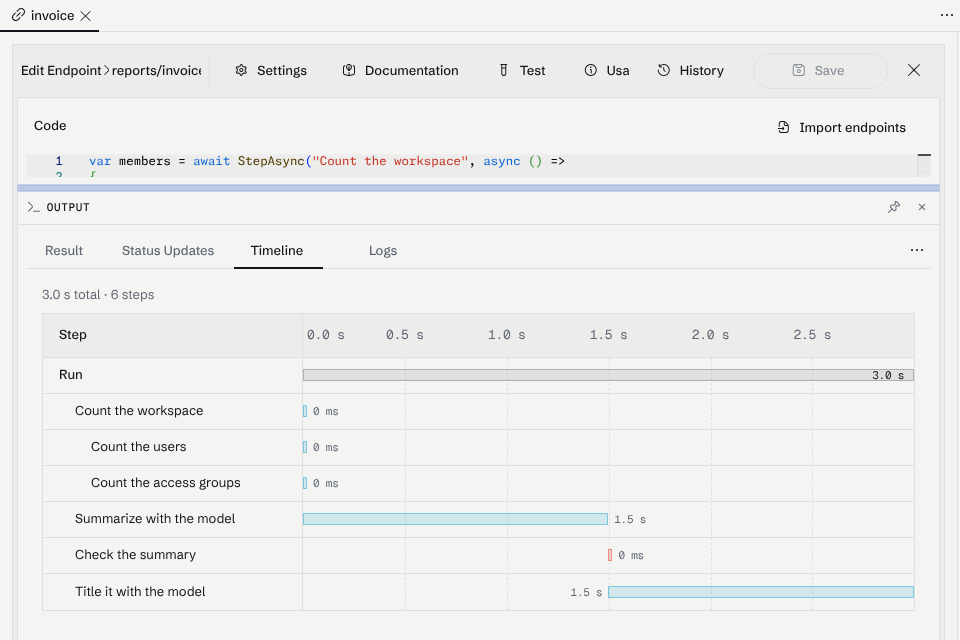
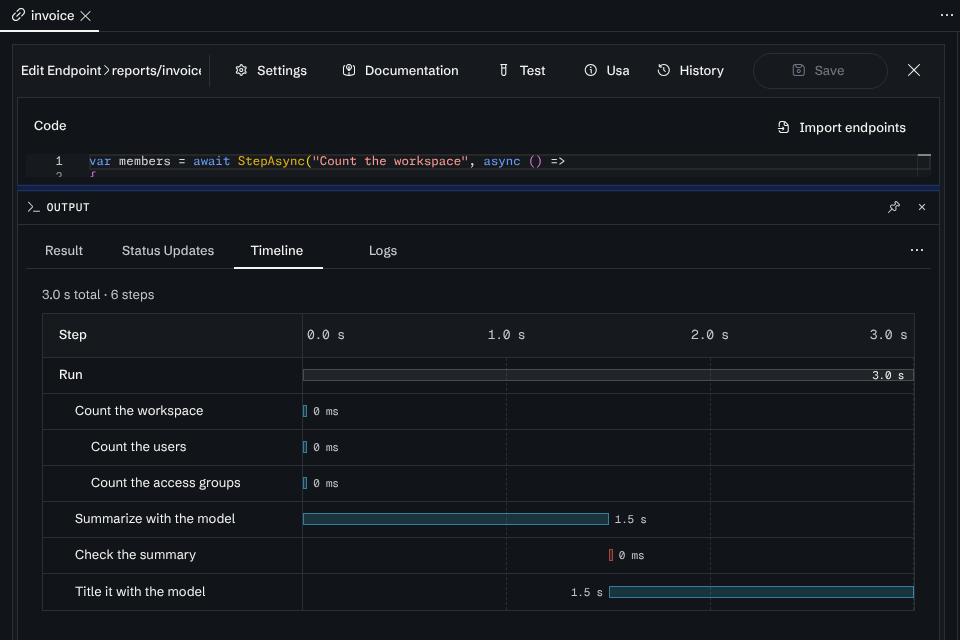
The timeline is sent only to the administrator who pressed the button, and only for that run. With the Test pane open beside it the chart is narrower than its minimum width and scrolls sideways; close the pane to see it whole.
In Inspect Chat
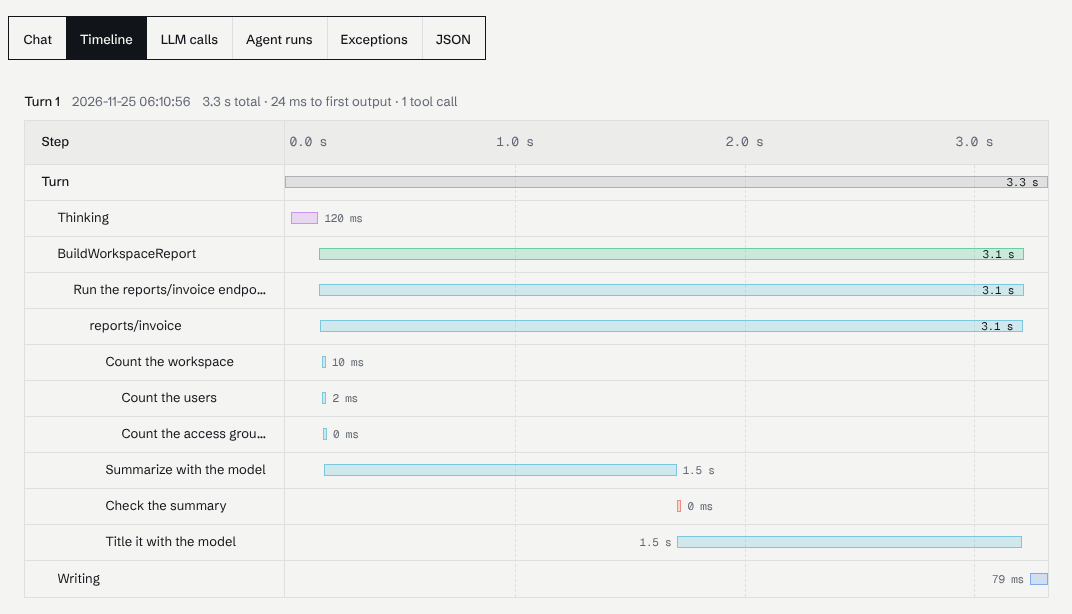
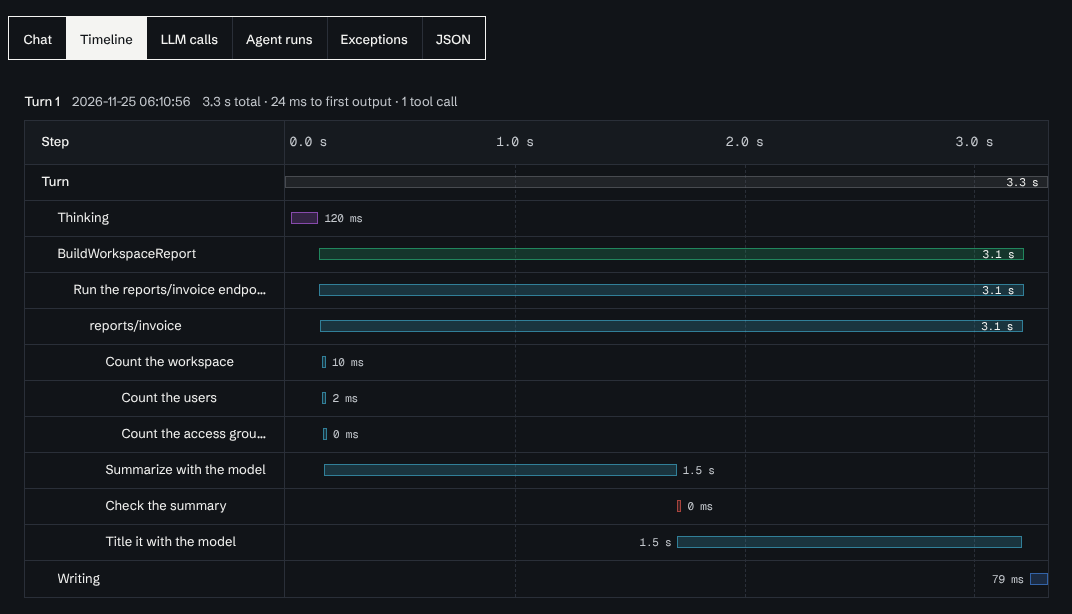
The steps a tool timed are drawn under its tool call. When the tool calls an endpoint, the endpoint's
run and its own steps are drawn under the step that called it. The tool needs no extra code for that:
RunEndpointAsync passes the tool's recording on to the endpoint.
From Sudo
Sudo reads the same timelines as text. chat <uid> --timings prints a conversation's turns, and run endpoint or run tool with --timings prints the
steps of the run instead of its output:
 duration     start  step
   3.00 s   +0.00 s  BuildWorkspaceReport
   3.00 s   +0.00 s    Run the reports/invoice endpoint
   3.00 s   +0.00 s      reports/invoice
   0.1 ms   +0.00 s        Count the workspace
   0.1 ms   +0.00 s          Count the users
   0.0 ms   +0.00 s          Count the access groups
   1.50 s   +0.00 s        Summarize with the model · default provider
   0.0 ms   +1.50 s        Check the summary · FAILED: 364 characters, 2000 asked for
   1.50 s   +1.50 s        Title it with the model
See Sudo's commands for run and chat.
Read next
- AI tools scope: every member a tool's code can call.
- Endpoint execution scopes: every member an endpoint's code can call.
- Debugging endpoints: logs, status updates and the rest of the loop.
- Inspecting a chat: the conversation the tool calls belong to.