

Graph Design Patterns
This page collects practical graph modeling patterns that tend to work well for Curiosity Studio applications.
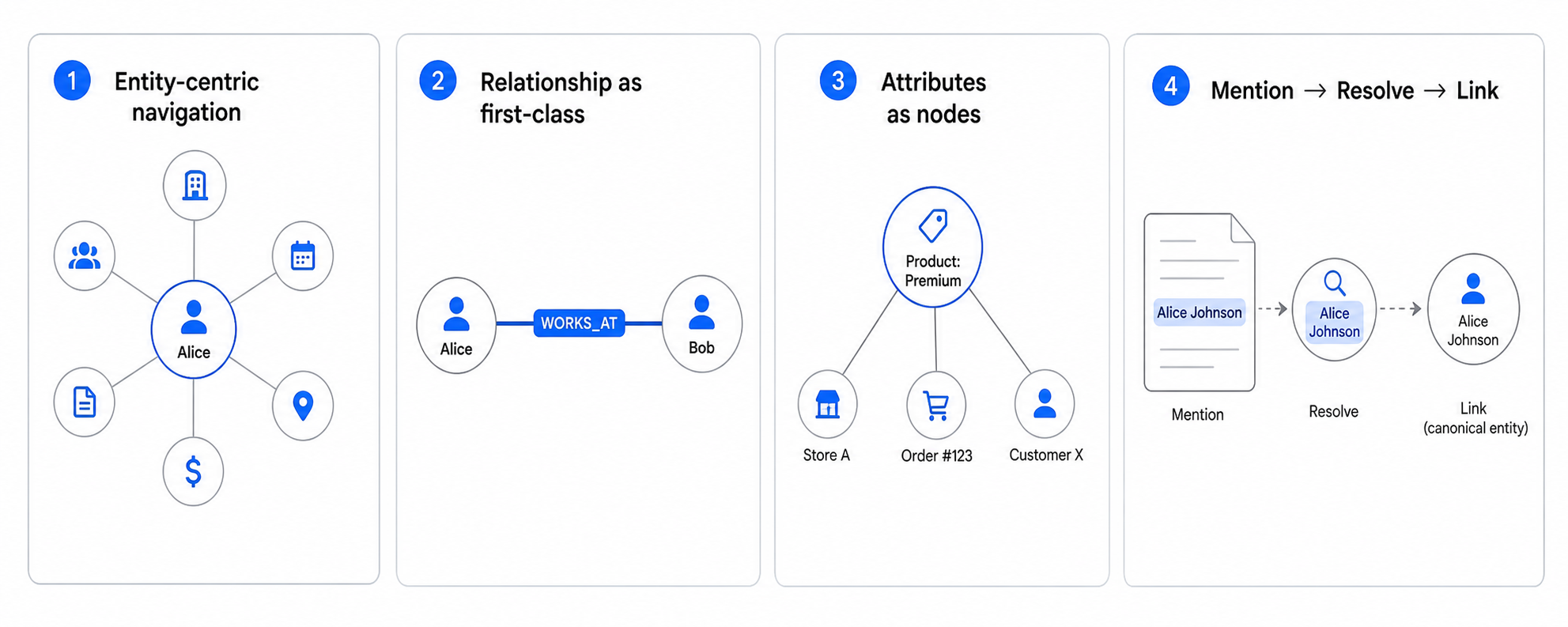
Pattern: Entity-centric navigation
Design around “hub” entities users care about:
- customer, product, ticket, document, case
Ensure each hub has:
- stable key
- meaningful outgoing edges
- a small set of high-signal properties (for display/search)
Pattern: Relationship as first-class signal
If users frequently ask “show items related to X”, model that as an edge:
Ticket -> ForCustomer -> CustomerDocument -> Mentions -> EntityCase -> HasStatus -> Status
This enables:
- fast traversal and exploration
- graph-constrained search
- related facets
Pattern: Attributes as nodes (selectively)
Convert a property into a node when you need:
- cross-type filtering (shared status taxonomy)
- navigation (“click status to see all items”)
- metadata on the attribute (owner, definition, lifecycle)
Don’t overuse this: many attributes are best kept as properties.
Pattern: Mention → resolve → link
When important concepts appear inside text:
- extract mentions via NLP
- resolve to canonical entities (or create entities)
- link into the graph
This pattern turns unstructured text into navigable structure.
Pattern: Graph + search together
Search retrieves candidates; the graph provides context:
- use search to find starting nodes
- use graph traversal for “next clicks” and constrained neighborhoods
- use facets and related facets to keep results meaningful
Pattern: Many-to-Many relationships
Model a plain many-to-many relationship with a pair of edges:
User -> AssignedToProject -> Project(with the reciprocalProject -> HasAssignee -> User): a user can be on many projects, and projects have many users.
Edges in Curiosity carry no properties — only a type and the nodes they connect. When the relationship itself needs metadata (e.g., role_on_project, date_assigned), promote it to an intermediate node and link both endpoints to it:
User -> HasAssignment -> Assignment -> ForProject -> Project- The
Assignmentnode holds therole_on_projectanddate_assignedproperties.
This is the standard way to attach data to a relationship. See Property Graph Model → Edges.
Pattern: Hierarchical structures
Represent hierarchies (org charts, folder structures) using recursive edges:
Employee -> ReportsTo -> EmployeeCategory -> SubCategoryOf -> Category- Use path queries to traverse up or down the hierarchy.
Pattern: Versioned data and time-travel
Handle data that changes over time without losing history:
- Snapshot Pattern: Create a new node for each version, linked to a "canonical" node.
- Validity Dates: Use properties like
valid_fromandvalid_toon a node. Since edges carry no properties, time-bounded relationships are modeled as an intermediate node that holds the dates. - Activity Log: Model changes as a series of event nodes linked to the subject entity.
Next steps
- Apply graph patterns to ingestion: Schema Design
- Optimize graph-constrained retrieval: Search Optimization