

Applications and repositories
An application is one system you want to understand: a billing system, a card management system, a mainframe batch. It has one or more repositories, each a place its code comes from. Atlas indexes each repository at a revision and joins what the repositories define into one graph, so a call from one repository into another is followed where both indexers name the symbol the same way.
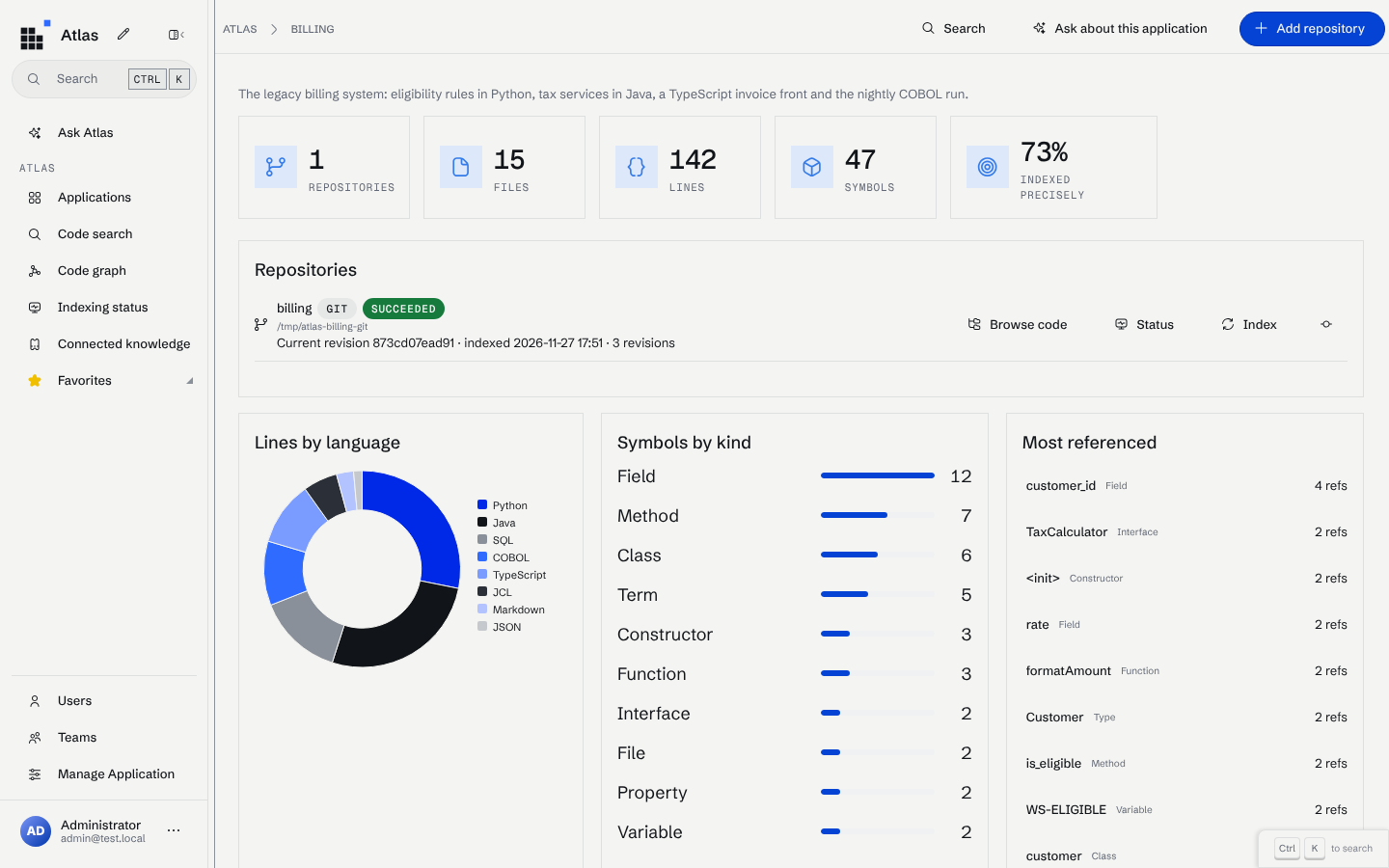
Create an application
Choose New application on the dashboard. An application has a name, a description, an owner (a team or a person), tags, and Access: everyone signed in, or one team. Everything below can be changed later with Edit on the application page. See Access for what restricting it to a team does.
Only administrators create and change applications, repositories and knowledge sources.
Add a repository
Choose Add repository on the application page and pick where the code comes from.
| Source | What Atlas needs | Revisions |
|---|---|---|
| Git repository | The remote URL, a branch, and for a private repository a user name and a token or password. An optional proxy for the git transport. | The tip of each tracked branch, and pinned commits. See Branches and revisions. |
| Zip upload | A zip of the source tree. Upload new version on the repository adds the next one. | Every upload, identified by its content. |
| Folder on the server | A path the Atlas server can read. | Every time it is indexed. |
| Pushed through the API | Nothing on the server side. A build sends the source with Curiosity.Atlas.Library. |
Every push, with the revision id the build gives it. See Push from a build. |
Tokens, passwords and proxy credentials are stored as workspace secrets and never returned by the API or shown again.
Filter sets include and exclude patterns for the files to index. Leave both empty to index everything, which is the useful default for a first look.
Add and index saves the repository and indexes it at once.
A folder is copied before it is indexed
Some indexers write into the tree they index (the TypeScript indexer adds a tsconfig.json). Atlas indexes a copy, so the folder on the server is never changed.
What happens when a revision is indexed
- The connector puts the revision's files on disk.
- Atlas detects the languages and runs each indexer that covers one, once per project root where the indexer needs it (a Python import root, a Rust workspace, a .NET solution).
- Every file is stored as text, whether an indexer covered it or not.
- The definitions, references and relationships the indexers report become the revision's part of the graph.
- Connected records are linked again to what the new revision defines.
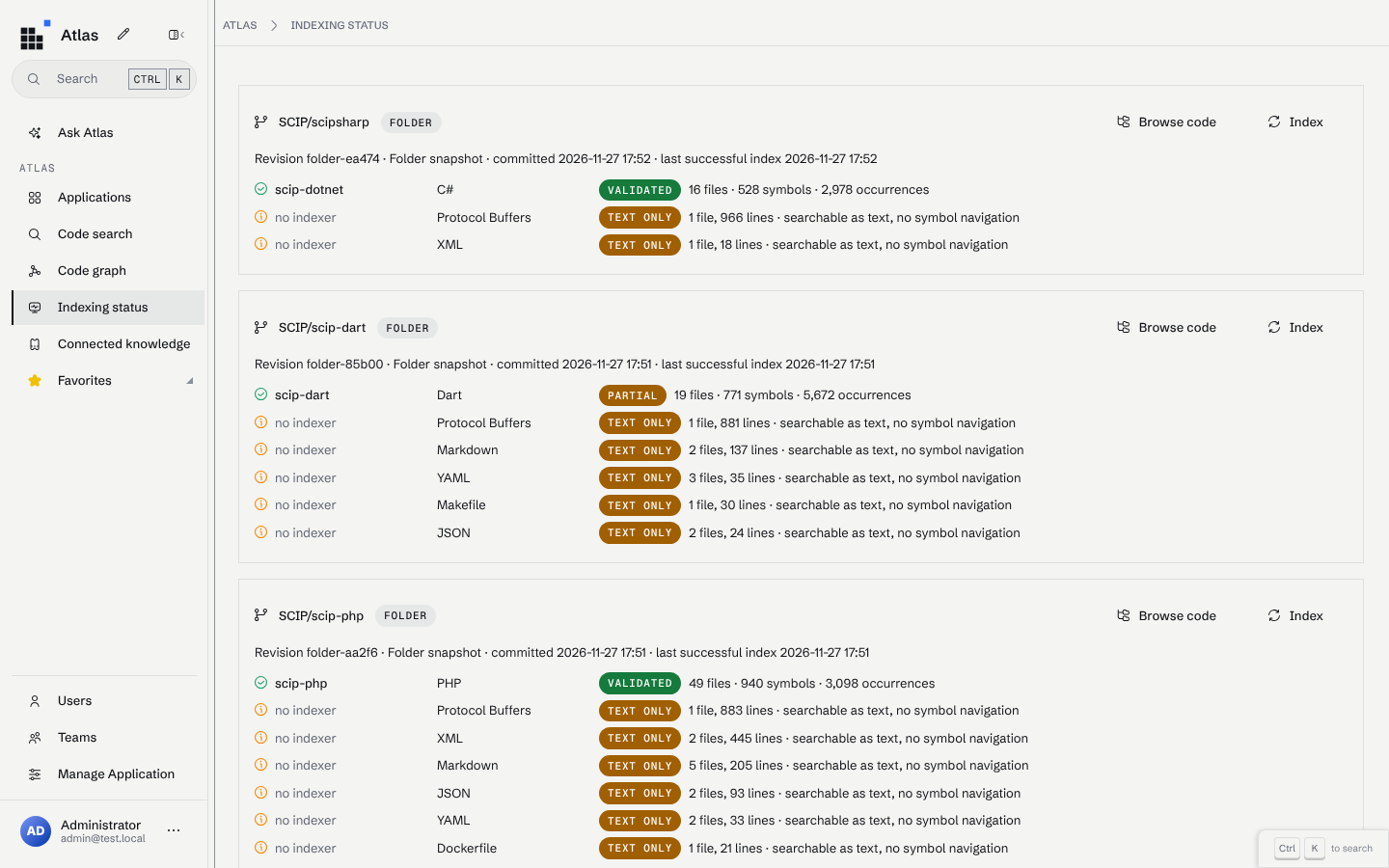
An indexer that fails fails alone: the revision is marked Partial, the failure is in its coverage, and that indexer's files stay text only. A file in a language no indexer covers (JCL, RPG, assembly) is stored, browsable and searchable, and marked text only wherever it is shown.
Indexing status in the sidebar lists the runs, with the files, the languages and what each indexer covered. A running indexing run updates live.
The current revision
The application page and the views show each repository at its current revision: the newest commit indexed. Indexing an older commit does not change which revision is current; open an older one from the code view's revision picker.