

How to Install Curiosity
Welcome! We're excited to have you on board with Curiosity. Here's a quick guide on how to install it on your computer.
To get started, follow these simple steps:
Windows
- Go to our download page and download the Curiosity for Windows application.
- Double-click on the downloaded .exe file.
- Follow the installation instructions.
Mac
- Download Curiosity for Mac from our download page
- Click on the downloaded .dmg file.
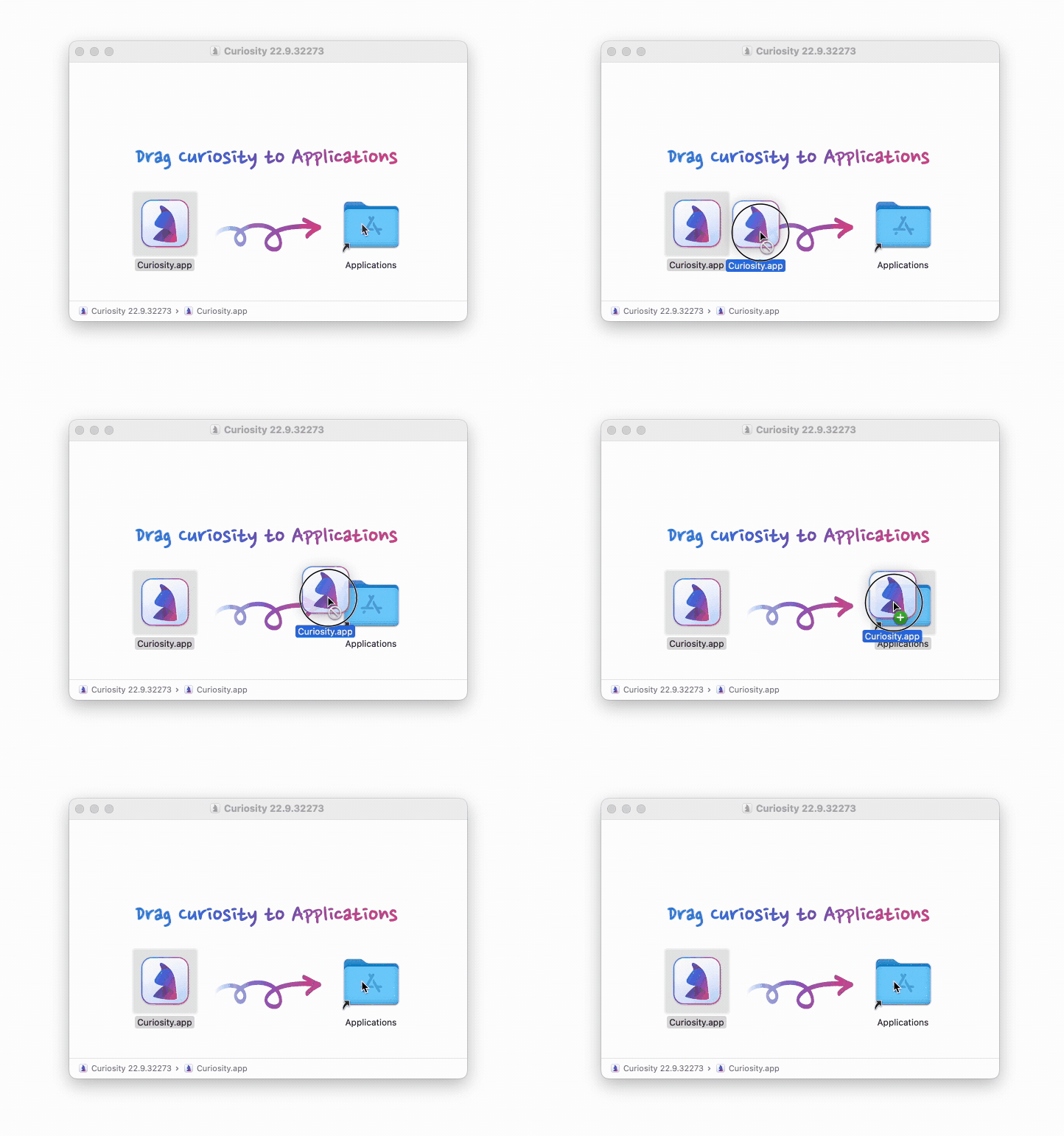
- Drag the Curiosity icon to your Applications Folder, as shown below:
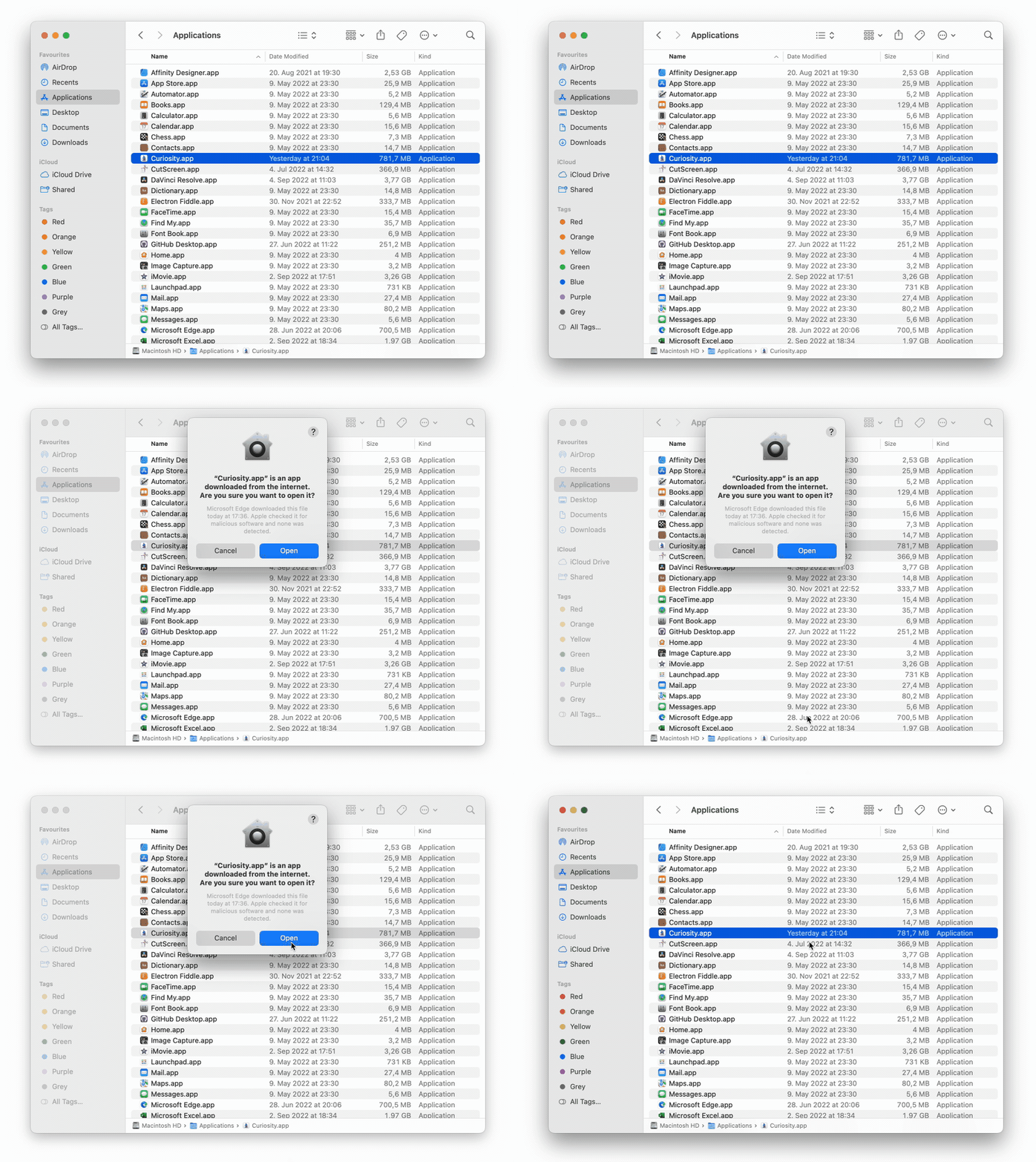
- Double-click on Curiosity in your Applications Folder and confirm you want to open it, as shown below:
Linux
To install Curiosity on Linux, please check out our documentation page on GitHub