

AI tools
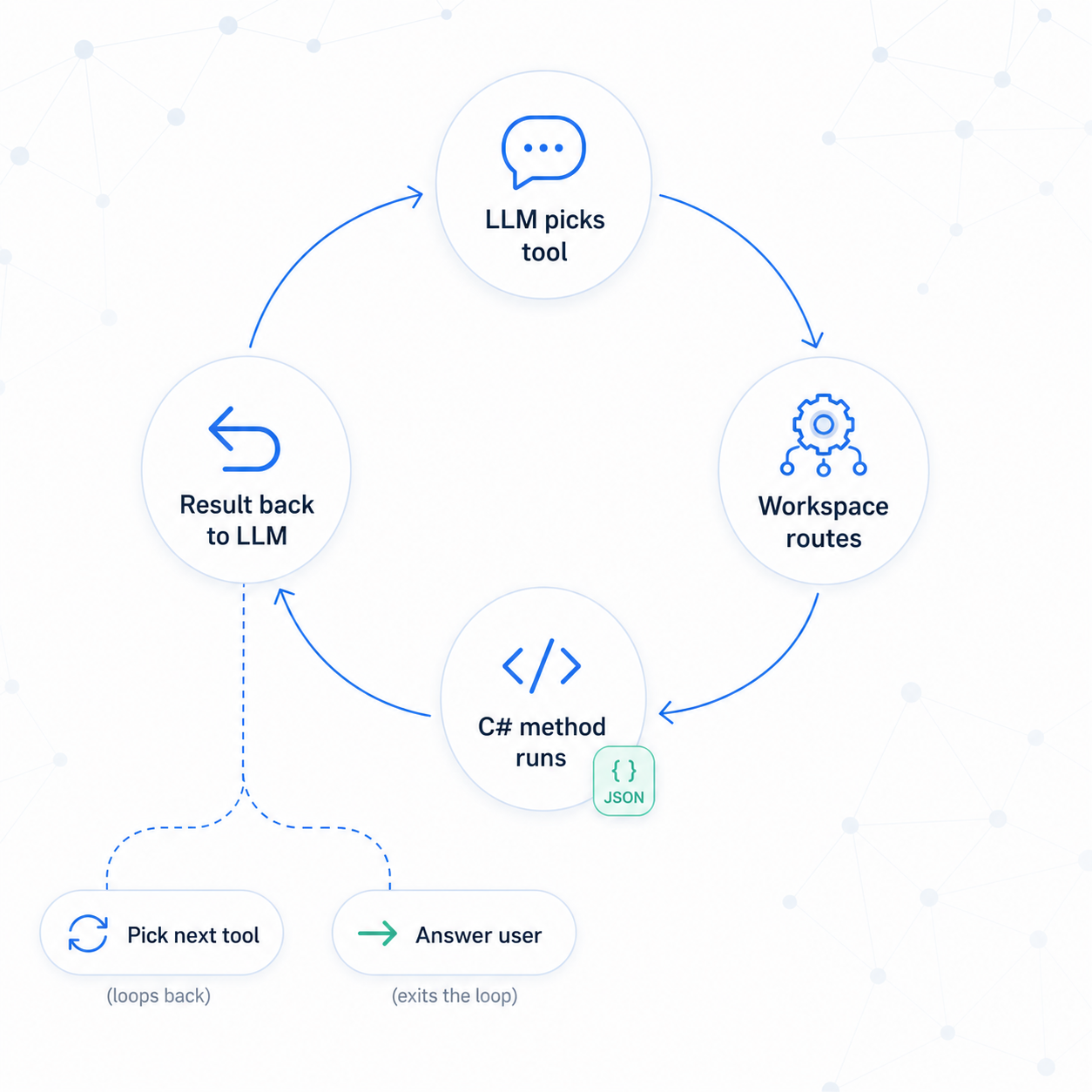
AI tools are C# methods the LLM can call during a chat turn. The workspace discovers them, advertises them to the LLM, and routes calls back — all under the calling user's permissions. They're also the building blocks an agent acts through (next steps).
A minimal tool:
public class GreeterTool
{
    [Tool("Greet the user by name. Use when the user says hello.")]
    public static string Greet(ToolScope scope,
        [Parameter("The person's name", required: true)] string name)
    {
        scope.SetToolCallDisplayName($"Greeted {name}");
        return $"Hello, {name}!";
    }
}
return new GreeterTool();
The ToolScope contract:
| Member | What it gives you |
|---|---|
scope.Graph / scope.Q() |
Graph and search access — Q() is already scoped to the caller |
scope.CurrentUser |
The user who started the chat — pass it to every retrieval |
scope.ChatAI.GetTextFromNode(uid, limit) |
Pull indexed text for grounding |
scope.AddSnippet(uid, text) |
Register a citation, returns a snippet id |
scope.SetToolCallDisplayName(text) |
A human-readable label in the chat trace |
The most common pattern — a permission-aware search tool:
[Tool("Search support tickets. Use when user describes a problem or asks 'have we seen this?'")]
public static async Task<string> SearchTickets(ToolScope scope,
    [Parameter("User's question or symptom", required: true)] string query,
    [Parameter("Max results (default 5)", required: false)] int limit = 5)
{
    var search = SearchRequest.For(query);
    search.BeforeTypesFacet = new(new[] { N.Ticket.Type });

    var hits = (await scope.Graph.CreateSearchAsUserAsync(
        search, scope.CurrentUser, scope.CancellationToken)).Take(limit);

    var output = hits.Select(n => {
        var text = scope.ChatAI.GetTextFromNode(n.UID, limit: 4000);
        var id   = scope.AddSnippet(uid: n.UID, text: text);   // register citation
        return new { snippetId = id, subject = n.GetString("Subject") };
    }).ToArray();

    scope.SetToolCallDisplayName($"Searched tickets for '{query}'");
    return output.ToJson();
}
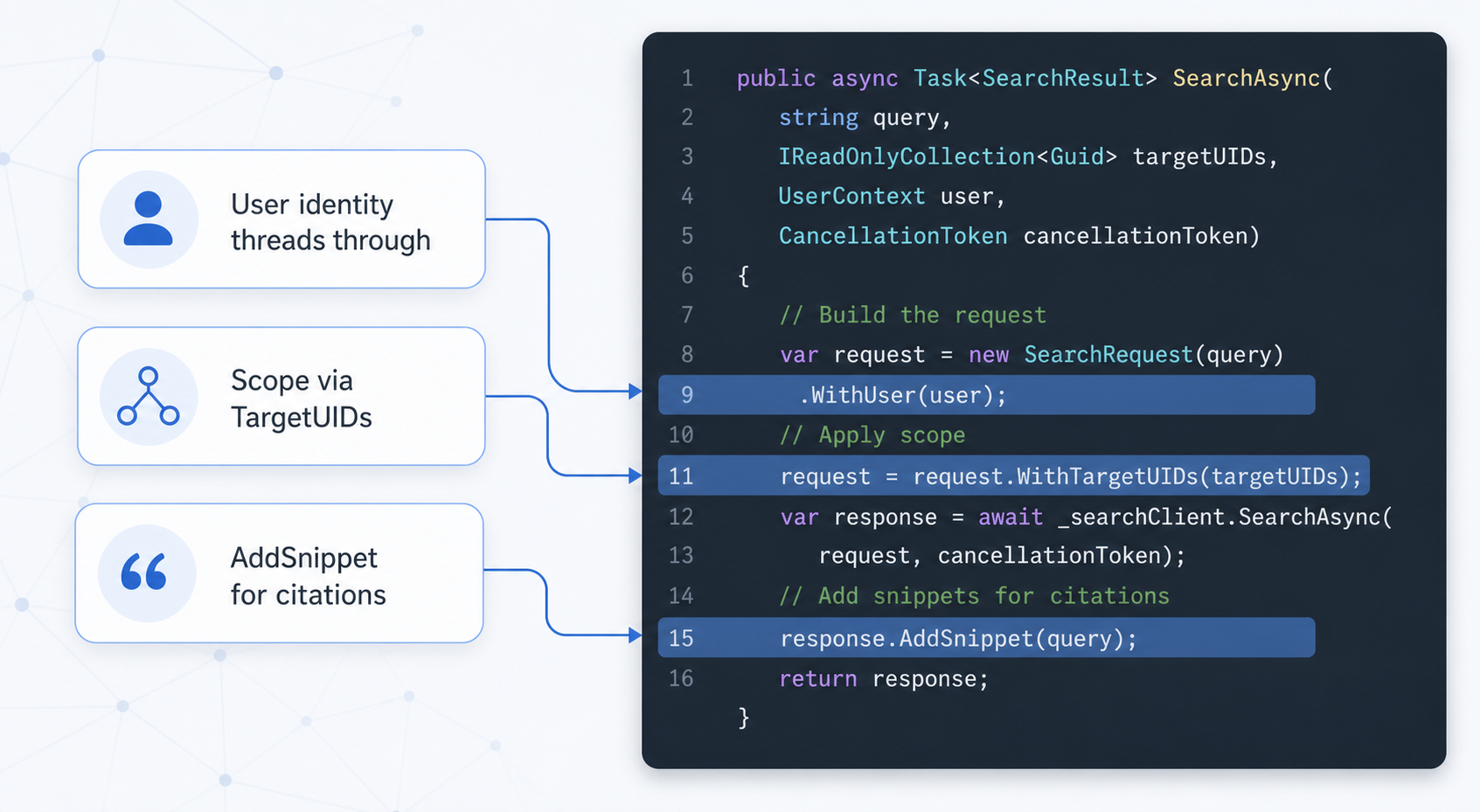
CurrentUser threads the user's identity through the search, AddSnippet wires citations into the response.
The description is the routing signal. The LLM picks tools by description alone — be specific about intent, the trigger ("use when…"), and what it returns. Treat every LLM-supplied parameter as untrusted.
→ AI tools