

Connecting an LLM
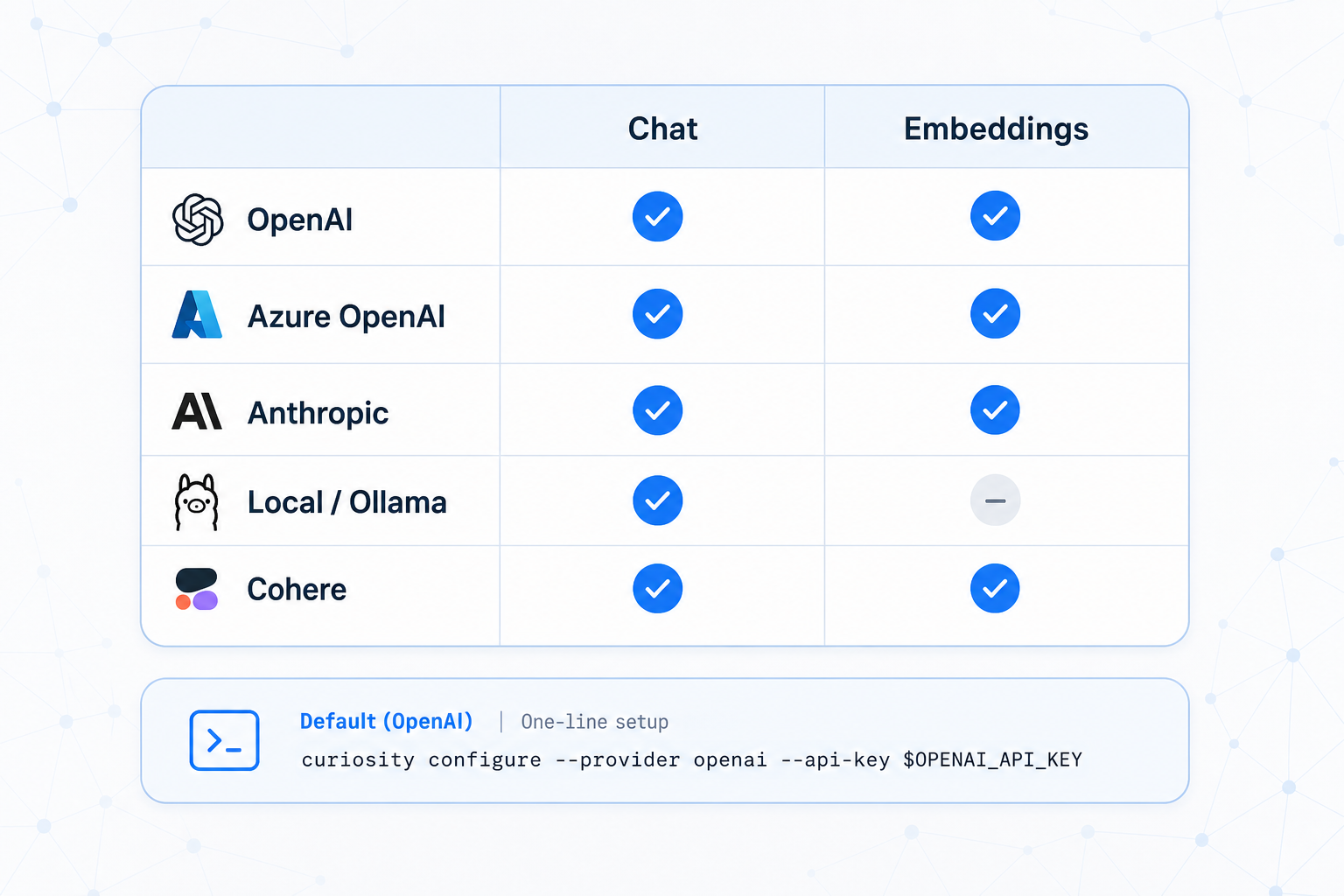
Configure a chat provider and (separately) an embedding provider in Settings → AI Settings.
Provider matrix:
| Provider | Chat | Embeddings | Notes |
|---|---|---|---|
| OpenAI | ✓ | ✓ | Hosted, latest GPT and embedding models |
| Azure OpenAI | ✓ | ✓ | Regional deployment, Entra ID auth |
| Anthropic (Claude) | ✓ | — | No embedding service — pair with another |
| Local (Ollama, vLLM) | ✓ | ✓ | Your infrastructure, no data egress |
| Built-in (MiniLM/ArcticXS) | — | ✓ | No egress, lower quality |
Picking a chat model:
| Priority | Model |
|---|---|
| Lowest latency | gpt-4o-mini, claude-haiku-4-5, local 7B |
| Highest quality | gpt-4o, claude-opus-4-7 |
| No data egress | Local 70B on GPU |
| Data residency | Regional Azure deployment |
Limits to set on every provider:
- Max output tokens: 1024 (start here)
- Per-call timeout: 30s
- Max tool calls per turn: 5